scifi drone Modelados 3D Gratuitos

$ 0.00 USD
  • Formatos disponibles:
  • ID de artículo:
    310237
  • Fecha: 2020-09-09
  • Polígonos:
    4022
  • Vértices:
    3936
  • Animados:
    No
  • Texturas:
  • Articulados:
    No
  • Materiales:
  • Low-poly:
    No
  • Colección:
  • Mapas UVW:
    No
  • Plugins Usados:
    No
  • Listo para Imprimir:
    No
  • 3D Scan:
    No
  • Para adultos:
    No
  • PBR:
  • Geometría:
    Polygonal
  • Desenvolver UVs:
    Unknown
  • Vistas:
    6435

Descripción

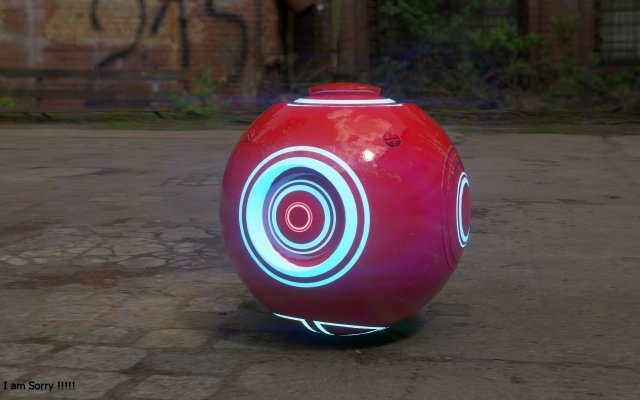
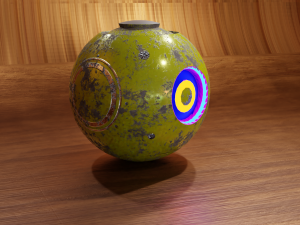
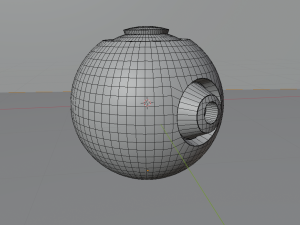
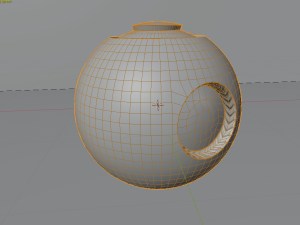
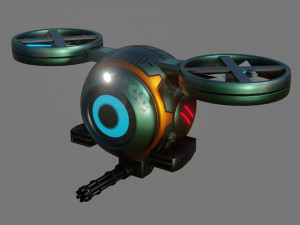
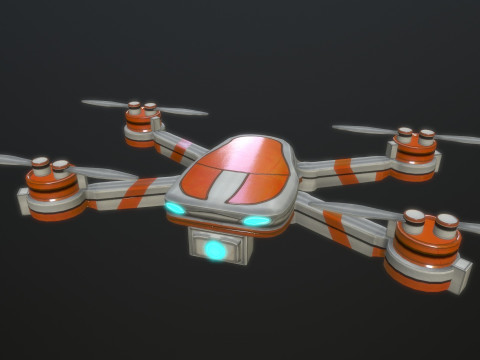
a sci fi drone modeled in blender and painted with substance paint
this drone represents the m320 model used by rex in the year 2086 in his firt
combat with the mech.
available for as .blend .obj . fbx mtl
all in one zip folder Listo para Imprimir: No

Información de uso

¿Puedo utilizar comercialmente modelos gratuitos? Sí, si el modelo está bajo la licencia libre de regalías , puede usarlo siempre que esté incorporado al producto y siempre que el tercero no pueda recuperarlo por sí solo, tanto en formato digital como físico.

Palabras clave

bsperan
bsperan 2021-03-25
Q: Is there a trick to get the included texture to work with the included FBX format? I put the /Materials/ folder in the same location as the .FBX file, but when I imported it into Blender and tried to render the model, it was clearly not textured. Did the textures not get baked prior to exporting the .FBX?

Granted, I could just try to make use of the .blend file. However, my rendering software of choice prefers .FBX for importing and does not support .blend.
bsperan
bsperan 2021-03-25
Also, could you tell me which version of Blender this was created in or made for? I think the version makes a difference.

When I opened the .blend file and tried to render an image, the result looked very strange - not at all like these screenshots. When I opened it in Blender 2.92, the render was awash in purple light and the texture was patchy - that is, part of the object's surface was transparent, as if it was not fully textured.
bsperan
bsperan 2021-03-25
Further:

I could not even import the Wavefront OBJ file into Blender 2.92 as it seems to be entirely broken. There was no error message when I imported it, but there was absolutely nothing new that was visible. I tried messing around with the import settings, including the Clamp Size to see if it was just scaled too small. But nothing I tried worked. There was a "drone OBJ" listed as an object, but it seemed to be broken and not visible. When I added a Decimate modifier to this in Object mode, it displayed "Face count: 0" on default settings.