English
 Español
 Deutsch
 日本語
日本語 Français
 한국의
한국의 Italiano
 Nederlands
 Türkçe
















Avião Impresso 21 Modelo de Impressão 3D
$
10.50 USD
- Solicitar suporte ao produto pelo autor

- Formatos disponíveis:
- ID do Item:459282
- Data: 2023-08-12
- Coleção:No
- Pronto para impressão:Yes
- Scan 3D:No
- Conteúdo adulto:No
- PBR:No
- Visualizações:2194
Descrição
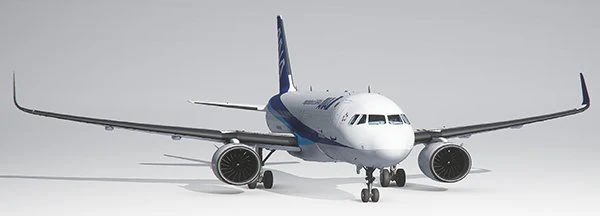
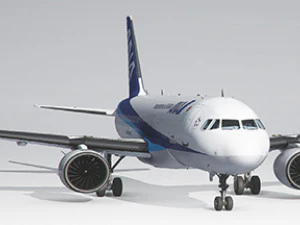
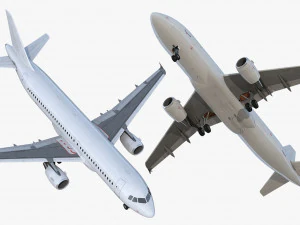
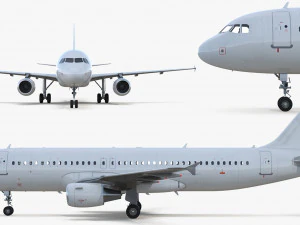
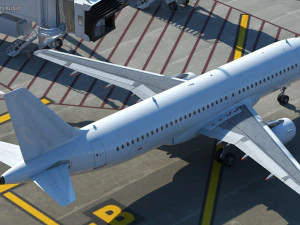
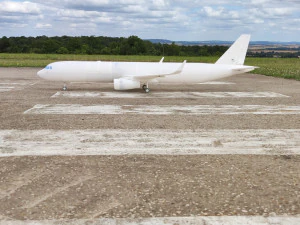
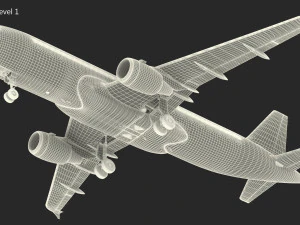
This is a 3D printed Airliner I designed to be light wight and fly on two 70mm EDFs.This Plane NOW FITS ENDER 3
Build Volume required is 220x220x250. The fuselage parts are 230mm tall.
RTF weight: 3,360 grams
Wingspan: 1.6m
Length: 2m
Print time: 220hrs
2kg of PLA
This plane does not have flaps or retracts to save on weight and keep the build process simple and easy. Also to keep cost down a bit.
Use 1mm Carbon fiber rods cut to 18mm for alignment of the fuselage parts do not glue them it makes it harder to get the parts together.
The battery door uses 8x 5mmx3mmx10mm magnets.
8mm Carbon tubes (Wing) 2x 19in and 2x 18in the 19in goes in the front.
Nose gear uses a small section of 6mm carbon tube and the Main gear both use a small section of 8mm carbon fiber tube.
Use 2x8 mm screw to attach servo covers and engine cover.
I modified two parts to make this build fit on an ender 3 build plate. Wing Section 1 is cut into two parts use 3 sections of 1mm carbon rods to align Wing1A to Wing1B. I also needed to cut the Mount bracket for the EDF. It is now in 4 sections to fit the smaller build plate. Glue together as shown in picture for the Ender 3 assembly Guide. If you have a larger build volume such as 245x245x260 you can print the original Wing1 and Motor mount to allow less assembly.
3D PRINTING SETTINGS
Fuselage 1-8 Print will 20mm rim on the build plate. Set the Extruder closer then standard to the bed. The first layer will print on the bed without the 20mm rim the second layer will start a 20mm rim you want the second layer to adhere to the bed.
Layer Height - 0.2
*Initial Layer Height - 0.15
Wall Line Count - 1
Top Layer - 0
Bottom Layers - 4
Initial Bottom Layers - 0
Infill - 0
Surface Mode - Normal
Fuselage 9:
Layer Height - 0.2
*Initial Layer Height - 0.15
Wall Line Count - 1
Top Layer - 4
Bottom Layers - 0
Initial Bottom Layers - 0
Infill - 0
Surface Mode - Normal
All of the wing section, elevator sections, gear, etc are of the left side of the plane. Set the part on the build plate with the correct orientation then mirror the part to get the right side of the plane. When you place the part on the build plate and rotate to a 45 degree angle when you mirror the part rotate the part back to the same 45 degree angle to get the same infill pattern for both parts.
Wing1 - 114g
Wing2 - 64g
Wing3 - 35g
Wing4 - 10g
WingTip - 3g
Aileron - 6g
Wing 1-4, Wingtip, Ailerons, and all of the tail sections:
Layer Height - 0.2
Initial Layer Height - 0.15
Wall Line Count - 1
Outer Before Inner Walls - Checked
Top Layer - 5
Bottom Layers - 4
Initial Bottom Layers - 4
Infill - 3%
Infill Pattern - Cubic Subdivision
Infill Line Directions - [45]
Infill Before Walls - Not Checked
Print Speed - 40mm/s
Infill Speed - 40mm/s
Outer Wall Speed - 40mm/s
Travel
Enable Retractions - Checked
Retract at Layer Change - Checked
Combing Mode - off (this will allow the retractions to happen and prevent sub extrusion)
Surface Mode - Normal
Front Cowl
Layer Height - 0.2
*Initial Layer Height - 0.15
Wall Line Count - 1
Top Layer - 6
Bottom Layers - 3
Initial Bottom Layers - 3
Infill - 0
Surface Mode - Normal
Rear Cowl there is a thrust tube designed to fit over the back of the 70mm EDF place on bed with back of cowl on the build plate.
*Initial Layer Height - 0.15
Wall Line Count - 1
Top Layer - 0
Bottom Layers - 0
Initial Bottom Layers - 0
Infill - 0
Surface Mode - Normal
Tail Pipe I designed the Cowl to have interchangeable tail section to change the performance of the EDF I flew my plane with the 90% FSA tail pipe the 80% will have more speed and less thrust. You can leave this section off also to get more thrust and less speed. The 80% have a more scale look.
*Initial Layer Height - 0.15
Wall Line Count - 1
Top Layer - 0
Bottom Layers - 3
Initial Bottom Layers - 3
Infill - 0
Surface Mode - Normal
Precisa de mais formatos?
Se precisar de um formato diferente, por favor abra um novo Support Ticket e solicite isso. Podemos converter modelos 3D para: .stl, .c4d, .obj, .fbx, .ma/.mb, .3ds, .3dm, .dxf/.dwg, .max. .blend, .skp, .glb. Conversão de Formato GrátisNão convertemos cenas 3D e formatos como .step, .iges, .stp, .sldprt.!
Informação de utilização
Avião Impresso 21 - Pode utilizar este modelo 3D isento de royalties para fins pessoais e comerciais, de acordo com a Licença Básica ou Prolongada.A Licença Básica abrange a maioria dos casos de utilização padrão, incluindo anúncios digitais, projetos de design e visualização, contas comerciais em redes sociais, aplicações nativas, aplicações web, videojogos e produtos finais físicos ou digitais (gratuitos e vendidos).
A Licença Estendida inclui todos os direitos concedidos ao abrigo da Licença Básica, sem limitações de utilização, e permite que o modelo 3D seja utilizado em projetos comerciais ilimitados ao abrigo dos termos de isenção de royalties.
Leia mais
Vocêm fornecem garantia de devolução do dinheiro?
Sim, fornecemos. Se você comprou um produto e encontrou algum erro nas renderizações ou na descrição, tentaremos corrigir o problema assim que possível. Se não pudermos corrigir o erro, cancelaremos seu pedido e você receberá seu dinheiro de volta em até 24 horas após fazer o download do item. Leia mais condições aquiPalavras-chave
Não há comentários para este item.


-50%

aerowar3D
Vehicle


-50%

DavideConti
Other
-50%
3Dlettersandmore
Other
-50%
Dufe
Other
-50%

awark10
Other