English
 Español
 Deutsch
 日本語
日本語 Français
 한국의
한국의 Italiano
 Nederlands
 Português
















Daz Studio için Ahşap Tabure Pervanesi Low-poly 3D Model
- Yazardan ürün desteği talep edin


- Hazır formatlar:
- Ürün ID:643526
- Tarih: 2026-06-09
- Poligonlar:378
- Noktalar:778
- Animasyon:No
- Dokulu:Yes
- Rigged:No
- Malzemeler:Yes
- Low-poly:Yes
- Koleksiyon:No
- UVW mapping:Yes
- Kullanılan Eklentiler:No
- Baskıya Hazır:No
- 3D Tarama:No
- Yetişkin(+18) içerik:No
- PBR:Yes
- AI Eğitim:No
- AI Generated:No
- Geometri:Polygonal
- Unwrapped UVs:Non-overlapping
- Görüntülemeler:189
Açıklama
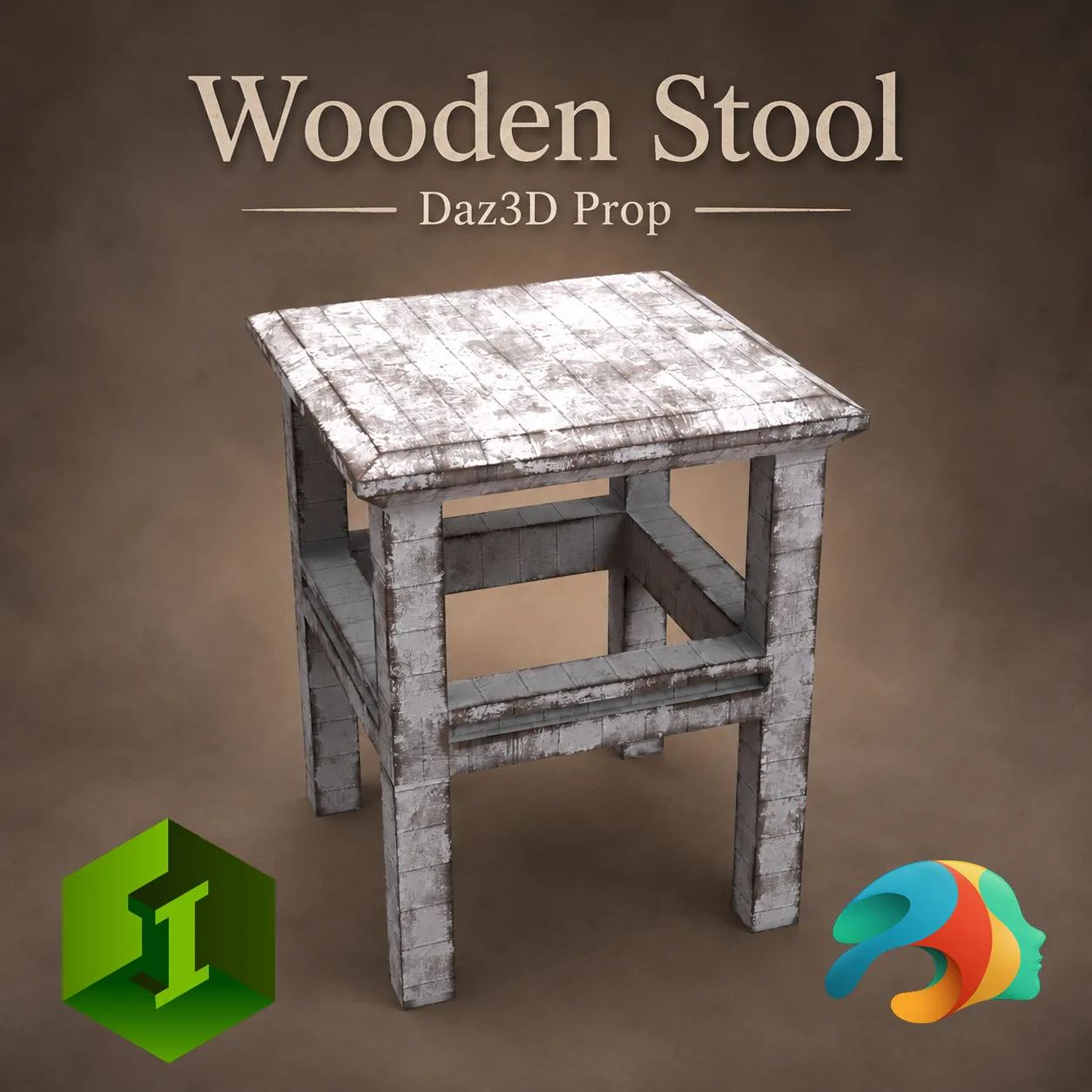
Wooden Stool Prop for Daz Studio
Add versatility to your renders with this highly optimized, low-poly wooden stool prop. Perfect for a wide variety of scenes—ranging from rustic farmhouses, cozy kitchens, and artist workshops to weathered, post-apocalyptic hideouts.
While this prop is completely standalone and not dependent on any specific Genesis generation, it has been meticulously modeled and proportioned to match the scale of Genesis 9 (G9 Dev) figures perfectly.
What's Included and Features:
Wooden Stool Prop (.DUF)
5 Distinct Material Presets (.DUF):
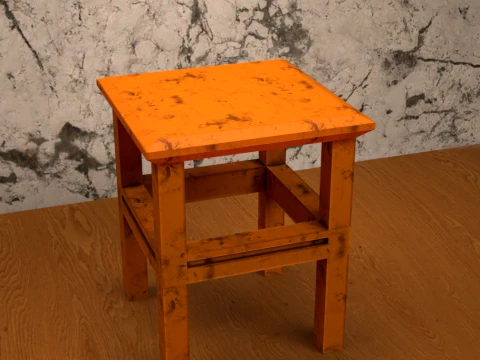
Orange Dirty: A vibrant, heavily weathered orange paint style with chipped details.
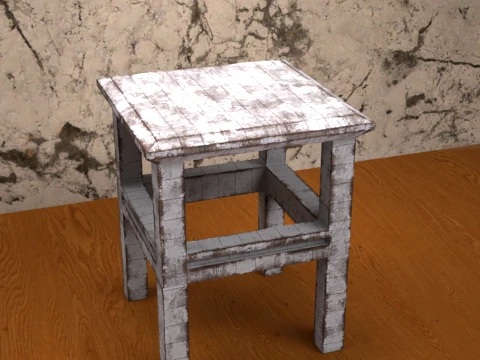
Painted Wood: A classic, distressed white painted look showing underlying wood wear.
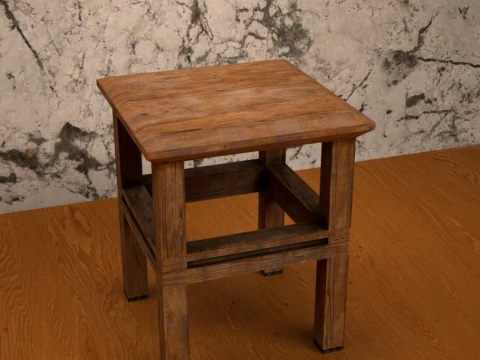
Wood Clean: A natural, clean brown wood grain style for classic interiors.
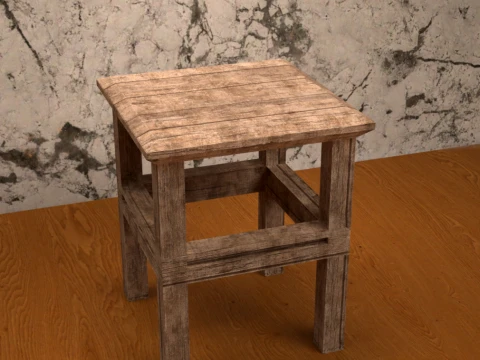
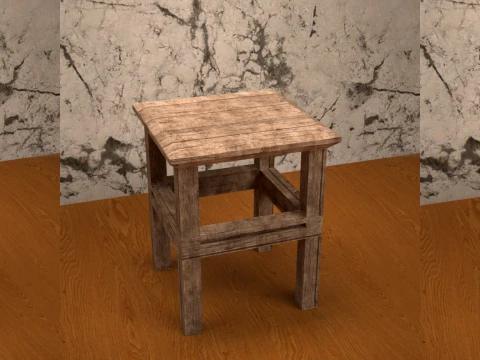
Wood Plank: A rough, rustic planked surface style for older or outdoor environments.
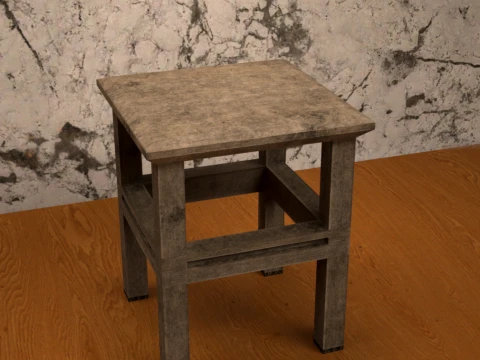
Worn Out: A faded, greyish, heavily aged wood style.
Technical Specifications:
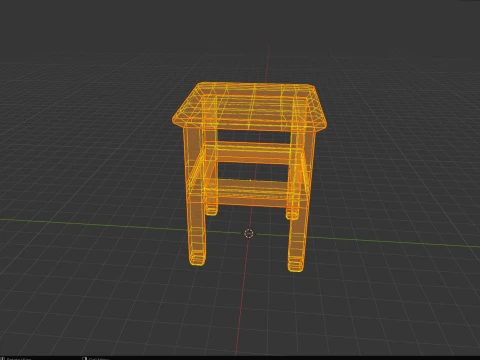
Optimized Low-Poly Mesh
Vertices: 378
Faces: 399
Triangles: 778
Clean wireframe and layout topology.
File Location in Daz Studio: My Library > Props > Max90 > Stool > Wooden Stool
How to Unpack and Install (ZIP Guide)
Download the File: Save the ZIP folder to your computer.
Extract the Content: * Windows: Right-click the ZIP file and select "Extract All...". Choose a destination folder and click extract.
Mac: Double-click the ZIP file to automatically extract the folder.
Installation: Copy the extracted Props folder and paste it directly into your main Daz 3D content directory (usually named My Library or Content).
Load the Asset: Open Daz Studio, navigate to your Smart Content or Content Library tab, and find the stool under Props > Max90 > Stool > Wooden Stool.
Daha fazla formata mı ihtiyaç duyuyorsunuz?
Farklı bir formata ihtiyaç duyuyorsanız lütfen destek ekibimize bir talep açarak ihtiyacınızı belirtiniz. 3D modelleri şu formatlara dönüştürebiliriz: .stl, .c4d, .obj, .fbx, .ma/.mb, .3ds, .3dm, .dxf/.dwg, .max. .blend, .skp, .glb. Serbest Format Dönüştürme3d sahneleri dönüştürmüyoruz ve .step, .iges, .stp, .sldprt gibi formatlar.!
Kullanım Bilgileri
Daz Studio için Ahşap Tabure Pervanesi - Telifsiz bu 3D modeli, Temel veya Genişletilmiş Lisans uyarınca hem kişisel hem de ticari amaçlarla kullanabilirsiniz.Temel Lisans, dijital reklamlar, tasarım ve görselleştirme projeleri, ticari sosyal medya hesapları, yerel uygulamalar, web uygulamaları, video oyunları ve fiziksel veya dijital son ürünler (hem ücretsiz hem de satılan) dahil olmak üzere çoğu standart kullanım durumunu kapsar.
Genişletilmiş Lisans, Temel Lisans kapsamında verilen tüm hakları, kullanım sınırlaması olmaksızın içerir ve 3D modelin Telifsiz koşullar altında sınırsız ticari projede kullanılmasına olanak tanır.
Daha fazla oku
Para İade Garantisi sağlıyor musunuz?
Evet, sağlıyoruz. Bir ürün satın aldığınızda çözünürlükte ya da tanımda bir hata bulduğunuzda problemi en kısa sürede çözmeye çalışacağız. Hatayı düzeltemezsek siparişinizi iptal edeceğiz ve sipariş tarihiniz göz önünde bulundurularak paranız size 24 saat içinde iade edilecektir. Daha fazla detay için tıklayınızAnahtar Kelimeler
- daz3d
- daz3dprop
- daz3dstool
- daz3dchair
- ahşap tabure
- stoolprop
- chairprop
- maksimum90
- mobilya
- düşük poli
- 3dmodel
- doğuş 9
- g9
- dson