English
 Español
 Deutsch
 日本語
日本語 Polska
 Français
 中國
中國 한국의
한국의 Italiano
 Nederlands
 Türkçe
 Português
 Bahasa Indonesia
 Русский
 हिंदी
हिंदी
















СУКНЯ REBEL ДЛЯ GENESIS 9 3D Модель
- Запит на підтримку продукту від автора


- Доступні формати:
- ID Товару:604328
- Дата: 2025-10-10
- Анімована:No
- Текстури:
- Скелет:No
- Матеріали:No
- Лоу-полі:No
- Колекція:No
- UVW зображення:
- Плагіни:No
- Готовність до друку:No
- 3D Скан:No
- Зміст для дорослих:No
- PBR:No
- ШІ Навчання:No
- Геометрія:Polygonal
- Розгорнуті UVs:Non-overlapping
- Перегляди:211
Опис
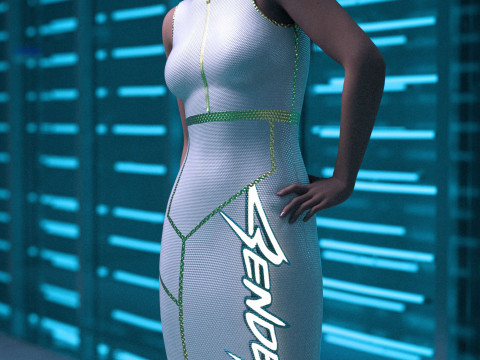
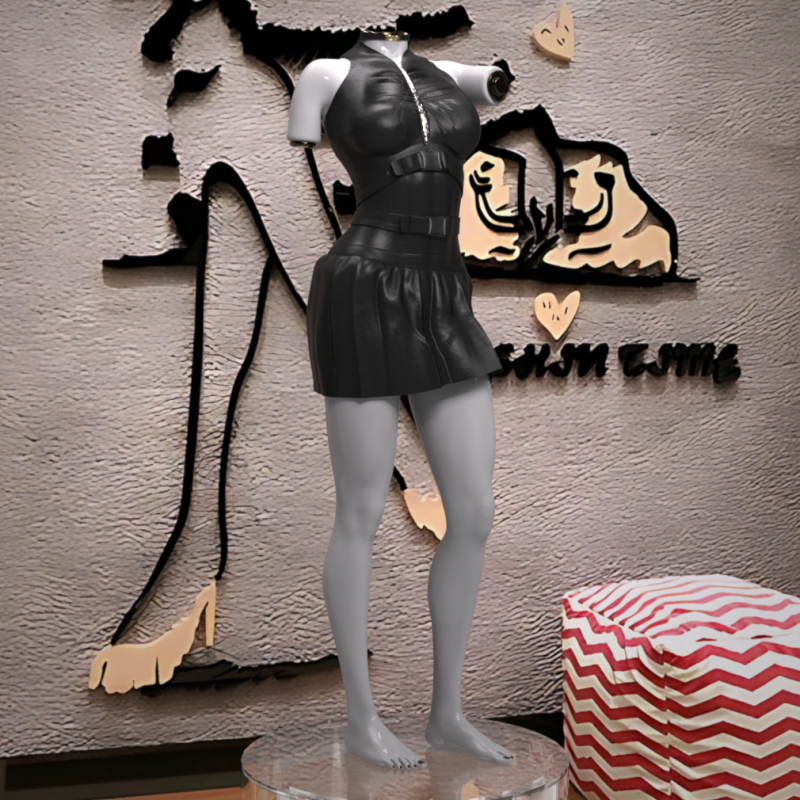
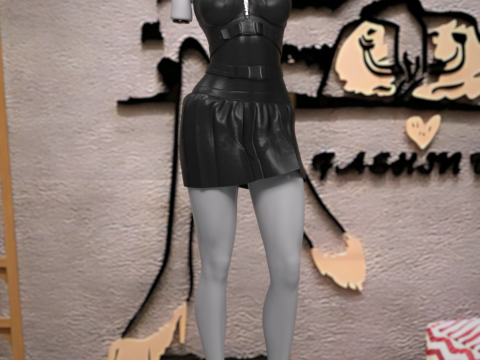
Rebel Dress for Genesis 9
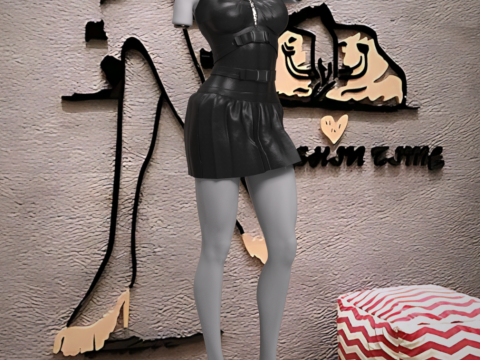
Unleash your character’s edgy style with the Rebel Dress for Genesis 9. This high-energy piece is designed with a fierce cyberpunk and gothic aesthetic, featuring black faux leather, bold zipper details, and buckle straps that command attention.
Perfect for dystopian scenes, dark fashion renders, or high-octane action shots, this dress brings a powerful, rebellious attitude to your Genesis 9 library.
Key Features:
Compatibility: Designed for Genesis 9.
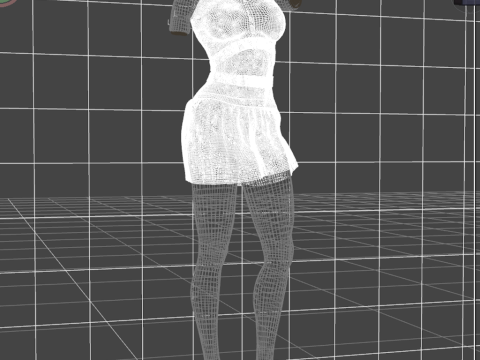
Style: Distinct Cyberpunk/Goth fashion with a sleek, high-poly design.
Physics: No dForce is required, ensuring the mesh maintains its sharp shape and fit through all poses without the need for simulation.
Texture Quality: Comes with crisp, high-resolution 4K Textures.
What's Included: The package contains the Rebel Dress only. No additional shoes, accessories, or figures are included.
File Location:
The dress will be found in your Daz Studio Content Library under: Clothing > Max90 > Rebel Dress.
Installation Guide
To use the Rebel Dress in Daz Studio, please follow these steps to install the files into your Daz 3D Library:
1. Extract the ZIP File
The content is compressed in a .zip file. You need to unzip or extract the files first.
On Windows: Right-click the downloaded .zip file and select "Extract All" or a similar option from the context menu. Choose the location where you want the temporary files to be extracted.
On macOS: Double-click the downloaded .zip file. The files will automatically extract into the same folder.
2. Copy to Daz 3D Library
Once extracted, you will have a content folder (often named "Content" or the product name). You need to copy this folder's content into your primary Daz 3D Library (your DAZ Studio Content folder).
Locate your Daz 3D Library: This is the main folder where all your installed assets (like "People", "Props", "Runtime", "Data") are stored.
Copy the content: Open the folder you extracted in step 1. Inside, you will typically find the folders like Data, People, Runtime, etc. Copy all these folders and paste them directly into your main Daz 3D Library folder, letting them merge with existing folders. DO NOT copy the entire extracted product folder itself, only the contents inside it.
Потрібно більше форматів?
Якщо вам потрібен інший формат, будь ласка, зробіть запит за допомогою тікета підтримки. Ми можемо конвертувати 3D моделі: .stl, .c4d, .obj, .fbx, .ma/.mb, .3ds, .3dm, .dxf/.dwg, .max. .blend, .skp, .glb. Безкоштовна КонвертаціяМи не конвертуємо 3d сцени і такі формати, як .step, .iges, .stp, .sldprt тощо!
Інформація про використання
СУКНЯ REBEL ДЛЯ GENESIS 9 - Ви можете використовувати цю безкоштовну 3D модель як для особистих, так і для комерційних цілей відповідно до Базової або Розширеної ліцензії.Базова ліцензія охоплює більшість стандартних випадків використання, включаючи цифрову рекламу, проекти дизайну та візуалізації, бізнес-акаунти в соціальних мережах, нативні додатки, веб-додатки, відеоігри та фізичні або цифрові кінцеві продукти (як безкоштовні, так і продавані).
Розширена ліцензія включає всі права, надані за Базовою ліцензією, без обмежень використання, та дозволяє використовувати 3D модель у необмеженій кількості комерційних проектів на умовах безкоштовних роялті.
Детальніше