


 English
 Español
 Deutsch
 日本語
日本語 Polska
 Français
 中國
中國 Українська
 Italiano
 Nederlands
 Türkçe
 Português
 Bahasa Indonesia
 Русский
 हिंदी
हिंदी
















보석 렌더링을 위한 OctaneRender를 사용한 사전 제작 장면 설정 3ds Max 3D 모델


CYBER MONDAY
SALE 50% OFF
$
33.99 USD
- 작성자에게 제품 지원 요청


- 이용 가능한 포맷:
- 아이템 ID:489739
- 날짜: 2024-01-29
- 애니메이티드:No
- 텍스쳐드:No
- 리그드:No
- 재료:
- 로우 폴리곤:No
- 컬렉션:No
- UVW 매핑:No
- 플러그인 사용 됨:No
- 프린트 준비:No
- 3D 스캔:No
- 성인용 콘텐츠:No
- PBR:No
- AI 훈련:No
- 지오메트리:Polygonal
- 언래핑 된 UVs:Unknown
- 조회:1850
설명
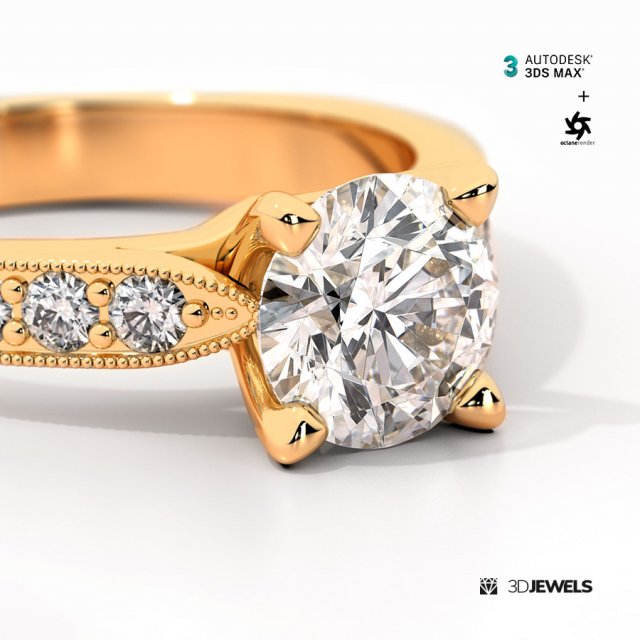
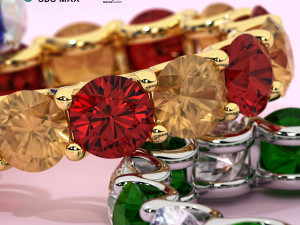
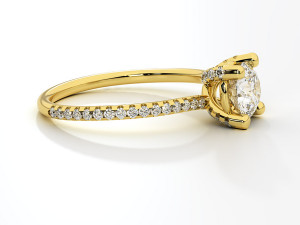
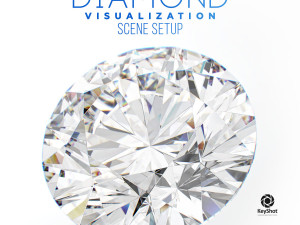
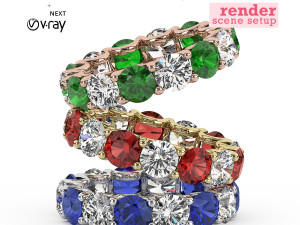
Fully set up the scene for jewelry rendering in 3ds Max (v. 2015+) and Octane Render (v. 2020.1+) with materials and HDRI.Features:
- Pre-made scene settings
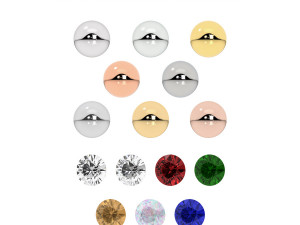
- 8 gold color materials
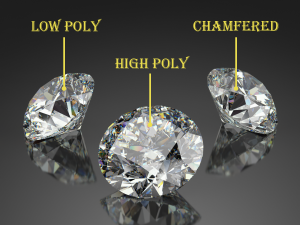
- 2 white diamond materials with inclusions
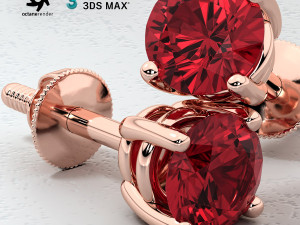
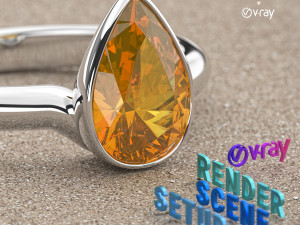
- 5 gemstone materials
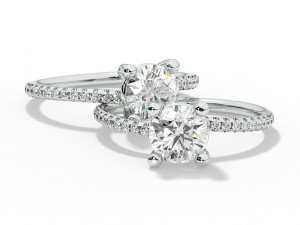
- Jewelry ring 3D CAD model
- HDRI environment map
- Scratch textures
- Background material
- User’s guide
Details:
Fully ready-made scene for rendering jewelry in 3ds Max and OctaneRender with materials, textures, and HDRI.
These scene settings can be used for photorealistic rendering of animation and jewelry stills.
The scene is great for rendering against a white and textured background. The scene file contains all the necessary textures and materials for a quick start of jewelry rendering.
And the scene has a transparent background with a shadow (alpha channel) for compositing on any color background.
Created by software:
Autodesk 3ds Max. Versions 2015 with update + OTOY OctaneRender version 2020.1.4 (and above).
Note! Sample render files (images) are not included in the download files.
What needs to do?
- open the received scene file 3ds Max
- import your model and apply materials
- adjust lighting using the HDRI environment + spotlight
- done, start render!
Kit includes:
- Autodesk 3ds Max files (for 2015 and 2017 versions) with:
— 8 color gold materials
— 2 white diamond material
— 5 gemstone materials (ruby, emerald, blue sapphire, pink opal, citrine) - Jewelry ring 3D CAD model (STL/print-ready, OBJ, FBX)
- HDRI environment map (5000×2500 pxs /.hdr)
- Scratch texture, imperfection texture (.jpg)
- User’s guide
Requirements:
- Autodesk 3ds Max 2015 (and above)
- OTOY OctaneRender plugin (v. 2020.1.4 and above) for 3ds Max
다른 포맷이 필요하세요?
다른 포맷이 필요하시면, 새로운 지원 티켓을 열어 요청하세요. 저희는 3D 모델을 다음으로 변환할 수 있습니다: .stl, .c4d, .obj, .fbx, .ma/.mb, .3ds, .3dm, .dxf/.dwg, .max. .blend, .skp, .glb. 자유 형식 변환우리는 3D 장면을 변환하지 않습니다 .step, .iges, .stp, .sldprt와 같은 형식도 포함됩니다.!
사용 정보
보석 렌더링을 위한 OctaneRender를 사용한 사전 제작 장면 설정 3ds Max - 기본 또는 확장 라이선스에 따라 이 로열티 프리 3D 모델을 개인적 및 상업적 목적으로 사용할 수 있습니다.기본 라이선스는 디지털 광고, 디자인 및 시각화 프로젝트, 비즈니스 소셜 미디어 계정, 네이티브 앱, 웹 앱, 비디오 게임, 그리고 물리적 또는 디지털 최종 제품(무료 및 유료 모두)을 포함한 대부분의 표준 사용 사례를 포괄합니다.
확장 라이선스는 기본 라이선스에 따라 부여된 모든 권리를 포함하며 사용 제한이 없으며, 로열티 프리 조건 하에 3D 모델을 상업적 프로젝트에 무제한으로 사용할 수 있습니다.
더 보기
환불이 보장되나요?
네, 환불을 보장합니다. 작품 구입 후 렌더나 설명에서 오류를 발견하시면, 저희는 최대한 빨리 해당 문제를 수정 할 것입니다. 저희가 해당 오류를 수정 할 수 없는 경우, 저희는 귀하의 주문을 취소하며 아이템 다운로드 24 시간 내에 금액을 환불해드립니다. 더 자세한 정보는 여기를 참조하세요키워드
이 저작자의 랜덤 아이템
이 아이템에 대한 코멘트 없음.

-50%
obj 3ds c4dr13 c4dr13 dwg dxf fbx max2011 max2011
Valerii.Kaliuzhnyi
Jewellery
$9.50
$19.00
-50%
max2020 max2015 max2013 max2010 fbx obj stl
ZUREL
Jewellery
$12.50
$25.00
-50%
max2020 max2015 max2013 max2010 fbx obj stl
ZUREL
Jewellery
$11.50
$23.00