공상 과학 드론 무료 3D 모델

$ 0.00 USD
  • 이용 가능한 포맷:
  • 아이템 ID:
    310237
  • 날짜: 2020-09-09
  • 폴리곤:
    4022
  • 버텍스:
    3936
  • 애니메이티드:
    No
  • 텍스쳐드:
    Yes
  • 리그드:
    No
  • 재료:
    Yes
  • 로우 폴리곤:
    No
  • 컬렉션:
    Yes
  • UVW 매핑:
    No
  • 플러그인 사용 됨:
    No
  • 프린트 준비:
    No
  • 3D 스캔:
    No
  • 성인용 콘텐츠:
    No
  • PBR:
    Yes
  • 지오메트리:
    Polygonal
  • 언래핑 된 UVs:
    Unknown
  • 조회:
    7145

설명

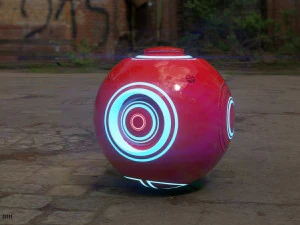
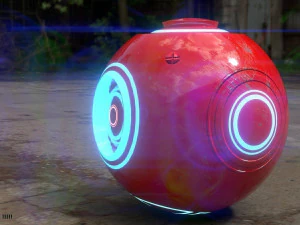
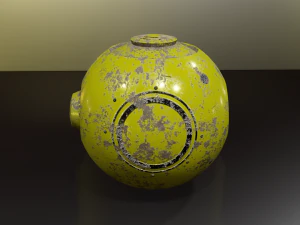
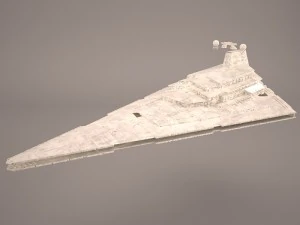
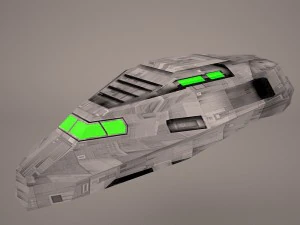
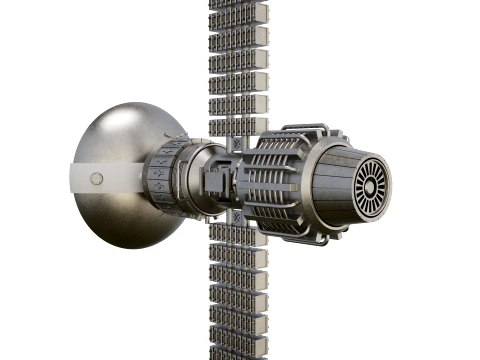
a sci fi drone modeled in blender and painted with substance paint
this drone represents the m320 model used by rex in the year 2086 in his firt
combat with the mech.
available for as .blend .obj . fbx mtl
all in one zip folder 프린트 준비: 아니오

사용 정보

무료 모델을 상업적으로 사용할 수 있나요? 예, 모델이 로열티 프리 라이선스 에 해당하는 경우, 해당 모델이 제품에 통합되어 있고 제3자가 디지털 및 물리적 형태로 자체적으로 검색할 수 없는 한 사용할 수 있습니다.

키워드

bsperan
bsperan 2021-03-25
Q: Is there a trick to get the included texture to work with the included FBX format? I put the /Materials/ folder in the same location as the .FBX file, but when I imported it into Blender and tried to render the model, it was clearly not textured. Did the textures not get baked prior to exporting the .FBX?

Granted, I could just try to make use of the .blend file. However, my rendering software of choice prefers .FBX for importing and does not support .blend.
bsperan
bsperan 2021-03-25
Also, could you tell me which version of Blender this was created in or made for? I think the version makes a difference.

When I opened the .blend file and tried to render an image, the result looked very strange - not at all like these screenshots. When I opened it in Blender 2.92, the render was awash in purple light and the texture was patchy - that is, part of the object's surface was transparent, as if it was not fully textured.
bsperan
bsperan 2021-03-25
Further:

I could not even import the Wavefront OBJ file into Blender 2.92 as it seems to be entirely broken. There was no error message when I imported it, but there was absolutely nothing new that was visible. I tried messing around with the import settings, including the Clamp Size to see if it was just scaled too small. But nothing I tried worked. There was a "drone OBJ" listed as an object, but it seemed to be broken and not visible. When I added a Decimate modifier to this in Object mode, it displayed "Face count: 0" on default settings.