


 English
 Español
 Deutsch
 日本語
日本語 Polska
 Français
 한국의
한국의 Українська
 Italiano
 Nederlands
 Türkçe
 Português
 Bahasa Indonesia
 中國
中國 हिंदी
हिंदी
















скелет 3D Модели
У нас уже 1535 товар(ов) Без выплаты роялти skeleton 3D Модели. Купите или скачайте бесплатно 3D модели для своих проектов компьютерной графики, кино и видеопроизводства, анимации, визуализаций, игр, VR/AR и т.д. Вы можете скачать любую 3d модель во всех популярных 3d форматах, включая MAX, OBJ, FBX, 3DS, STL, C4D, BLEND, MAYA
 Rezoro3D.ArtsHeavy Equipment
- -50%
 ITman3DAutomotive
 - -50%
 ITman3DAutomotive
 - -50%
 ITman3DAutomotive
  brunonunesdpSculpture
 brunonunesdpOther
- -40%
 Avera3dPendants
 - -40%
 Avera3dPendants
 - -40%
 Avera3dPendants
 - -40%
 Avera3dPendants
 - -40%
 Avera3dPendants
 - -40%
 Avera3dPendants
 - -40%
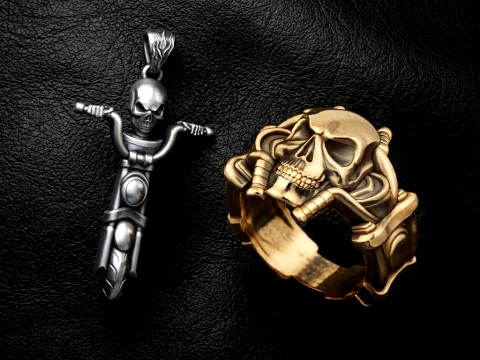 Avera3dPendants
 - -40%
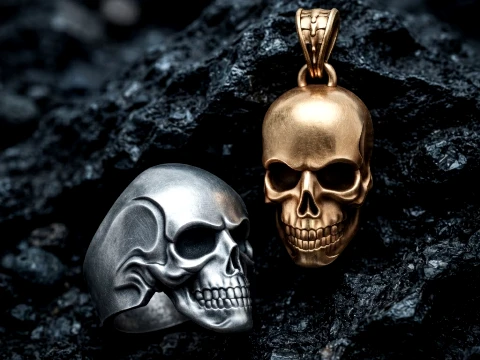 Avera3dPendants
 - -40%
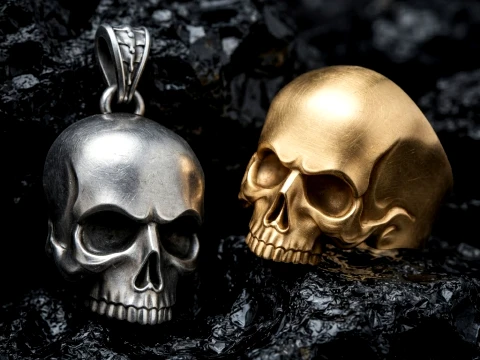 Avera3dPendants
  Devils3DArtistDecor




















Популярные запросы 3D Модели:
Скульптуры 3D Модели Персонажи 3D Модели Кухня 3D Модели Лошадь 3D Модели Архитектурные Экстерьеры 3D Модели Телефоны 3D Модели Овощи 3D Модели Ювелирные изделия 3D Модели Игрушки 3D Модели Медицина 3D Модели Вертолет 3D Модели Тяжелое оружие 3D Модели Грузовик 3D Модели Анатомия 3D МоделиВопрос 1: В чем разница между анатомическим скелетом и игровой 3D-моделью скелета?
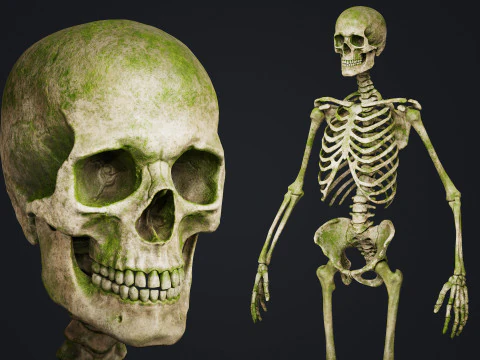
Анатомические модели отдают приоритет точности — правильным пропорциям костей, реалистичным суставным поверхностям, точной морфологии черепа. Они создаются для медицинской визуализации, образовательного программного обеспечения или рендеров музейного качества. Игровые скелетные модели отдают приоритет производительности: упрощенной геометрии, чистым ребрам для деформации и структуре рига, хорошо работающей с анимационными системами игровых движков. Эти два типа моделей служат разным целям. Анатомическая модель может содержать 500 000 полигонов с каждой деталью текстуры трабекулярной кости; игровой скелет может состоять из 8000 треугольников с атласом 2K. Использование анатомической модели в игре не невозможно, но для уменьшения её размера без ухудшения визуального качества требуется модификатор Decimate в ZBrush или Blender, а также тщательная ретопология. Это займет много часов работы. Приобретите подходящий тип модели заранее.
Вопрос 2: Готовы ли 3D-модели скелетов к печати на домашних 3D-принтерах?
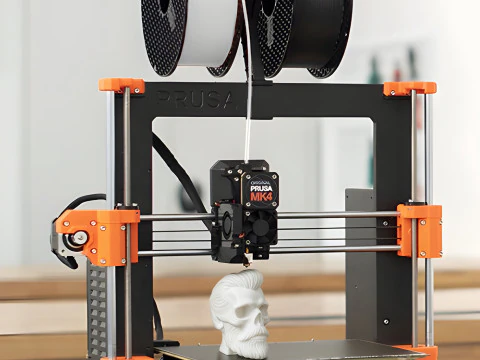
Некоторые готовы, многие — нет. Готовность к печати означает, что сетка является цельной (герметичной), грани правильно ориентированы, и нет проблем с пересекающимися геометрическими объектами. Целевой формат — STL — экспортируйте модели OBJ через конвейер экспорта Blender в STL и обработайте их в Meshmixer в разделе «Анализ > Инспектор» перед нарезкой. Черепа и грудные клетки имеют естественные полые участки, требующие бережного обращения: вы либо печатаете их как сплошные заливки (прочные, но расходуют филамент), либо добавляете внутренние опорные структуры в слайсере. Полный человеческий скелет в масштабе 1:1 — это многодневная работа на принтере с рабочей поверхностью 250 мм — большинство людей печатают отдельные части и собирают их. Некоторые продавцы на 3DExport специально продают файлы скелетов, разделенные на части, разработанные для этого рабочего процесса.
Вопрос 3: Можно ли анимировать 3D-модели скелета в Blender?
Да, и создание рига для двуногого скелета в Blender на самом деле проще, чем для четвероногих. Аддон Rigify (входит в Blender по умолчанию) генерирует полный риг для человека, который можно подогнать к существующей сетке скелета. Ключевой шаг — сделать топологию сетки удобной для деформации: чистые петли ребер вокруг суставов, никаких n-угольников в области плеч или бедер. Если вы купите высокополигональный анатомический скелет и попытаетесь создать для него риг напрямую, скиннинг будет выглядеть грубо вокруг суставов. Лучший рабочий процесс: сначала ретопологизируйте сетку, создайте риг для низкополигональной версии, а затем используйте модификатор Shrinkwrap, чтобы сохранить детализацию высокополигональной модели для финальных рендеров.Вопрос 4: Каковы распространенные способы использования скелетных 3D-моделей в разработке игр?
Враги в хоррор-играх, RPG и фэнтези — очевидный пример. Но скелеты также встречаются в качестве элементов окружения — на полях сражений, в подземельях, на кладбищах. Для таких элементов достаточно статической сетки. Для врагов же необходим полноценный двуногий риг, совместимый с системой перенацеливания анимации вашего движка. IK Retargeter в Unreal Engine 5 позволяет переназначать анимации с рига, пропорционального манекену, на скелета, что действительно полезно — вы можете управлять врагом-скелетом с помощью анимаций Mixamo с минимальной ручной обработкой. Конфигурация рига Humanoid в Unity предлагает аналогичную гибкость. В любом случае, модель скелета должна иметь правильно названные кости в иерархии, распознаваемой движком.