


 English
 Español
 Deutsch
 日本語
日本語 Polska
 Français
 Українська
 Italiano
 Nederlands
 Türkçe
 Português
 Bahasa Indonesia
 Русский
 中國
中國 हिंदी
हिंदी
















스케치 3D 모델
보유하고 있는 것 127 아이템 로열티 프리 sketch 3D 모델. CG 프로젝트, 영화 및 비디오 제작, 애니메이션, 시각화, 게임, VR/AR 등을 위한 무료 3D 모델을 구입하거나 다운로드하세요. 다음을 포함하여 모든 인기 있는 3D 형식으로 3D 모델을 다운로드할 수 있습니다. MAX, OBJ, FBX, 3DS, STL, C4D, BLEND, MAYA






























인기 검색어 3D 모델:
조각 3D 모델 캐릭터 3D 모델 부엌 3D 모델 말 3D 모델 외관 3D 모델 휴대 전화 3D 모델 야채 3D 모델 쥬얼리 3D 모델 장난감 3D 모델 의료 3D 모델 헬리콥터 3D 모델 중무기 3D 모델 트럭 3D 모델 해부학 3D 모델Q1: "3D 스케치" 모델은 실제로 무엇을 의미하나요?
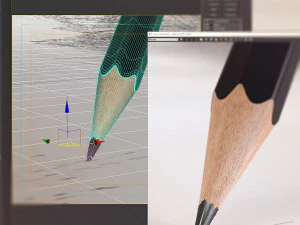
이 용어는 다소 모호하며 두 가지를 포괄합니다. 첫째, 대략적인 컨셉 단계의 기하학적 형태, 즉 사전 제작 단계에서 공간적 자리 표시자로 사용되는 블록 형태의 저해상도 모델입니다. ZBrush나 Blender에서 최종 토폴로지를 결정하기 전에 블록 형태로 만드는 것과 유사합니다. 둘째, 손으로 그린 듯한 또는 스케치한 듯한 미학으로 렌더링되도록 디자인된 모델입니다. 잉크 윤곽선과 연필 자국이 보이는 셀 셰이딩을 떠올려 보세요. 두 번째 범주는 미완성 작품이 아니라 의도적인 스타일 선택입니다. Blender에서는 Grease Pencil 렌더러나 Freestyle 에지 검출을 통해 이러한 효과를 얻을 수 있습니다. 이 중 하나를 찾고 있었는데 다른 것을 받게 된다면 실망스러울 수 있으니 구매 전에 설명을 꼼꼼히 읽어보세요.
Q2: 스케치 스타일의 3D 모델은 애니메이션과 영화에서 어떻게 사용되나요?
주로 타이틀 시퀀스, 설명 영상, 스타일리시한 단편 영화 등 손으로 그린 듯한 미학이 의도적인 경우에 사용됩니다. 건축 회사에서도 초기 고객 프레젠테이션에 스케치 스타일 렌더링을 활용하는데, 사실적인 렌더링과는 달리 거칠고 스케치 같은 렌더링은 "이것은 컨셉일 뿐 확정된 것이 아닙니다"라는 메시지를 전달합니다. 애프터 이펙트에서는 이미지 시퀀스로 내보낸 스케치 스타일 3D 모델을 손으로 그린 애니메이션 요소와 자연스럽게 통합할 수 있습니다. 이러한 제작 과정에서는 모델의 실루엣이 깔끔하고 표면 디테일이 최소화되어야 하며, 시각적 표현은 텍스처가 아닌 선 작업에 의존합니다.질문 3: 3D 스케치 모델을 초보 모델러를 위한 학습 참고 자료로 사용할 수 있습니까?
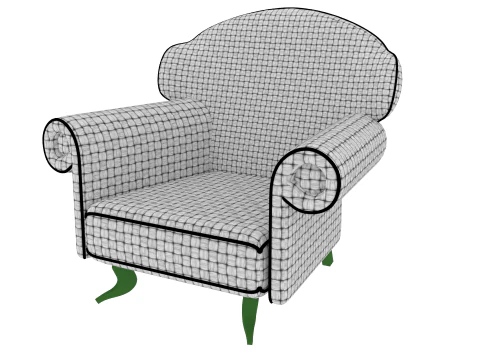
네, 맞습니다. 이는 과소평가되는 활용 사례입니다. 에지 흐름이 명확하게 보이는 단순하고 잘 구성된 스케치 모델은 훌륭한 학습 자료가 됩니다. 토폴로지를 배우는 초보자는 복잡한 텍스처의 시각적 노이즈 없이 쿼드가 어떻게 배열되는지 살펴볼 수 있습니다. 이를 위해 와이어프레임이 보이거나 세분화 수가 적은 모델을 다운로드하세요. 블렌더로 불러와 편집 모드에서 메시를 검사해 보세요. 에지 루프가 조인트를 어떻게 감싸는지, 폴이 지오메트리 끝점에 어떻게 배치되는지 등을 확인하세요. 실제 제작 에셋, 심지어 간단한 에셋이라도 직접 학습하는 것이 튜토리얼만 보는 것보다 훨씬 효과적입니다.Q4: 스케치 스타일의 3D 출력에 가장 적합한 렌더링 설정은 무엇입니까?
블렌더에서는 프리스타일(Freestyle)과 툰 셰이더(Principled 또는 Diffuse, 플랫 셰이딩) 조합이 가장 일반적입니다. 렌더 속성에서 프리스타일을 활성화하고, 선 두께를 1.5~2.5px로 설정한 후, 실루엣과 주름 가장자리에 "가장자리 감지(Edge Detection)"를 선택합니다. 특히 연필 스케치 느낌을 내려면 프리스타일 선 스타일에 노이즈 텍스처를 추가하세요. 이렇게 하면 컴퓨터로 생성된 선의 기계적인 직선성을 깨뜨릴 수 있습니다. 또는 블렌더의 EEVEE 엔진이나 클립 스튜디오의 3D 레이어 시스템과 같은 NPR(비사실적 렌더링) 엔진을 사용하면 비슷한 결과를 더 빠르게 얻을 수 있습니다. 핵심은 선 두께를 거리에 따라 일정하게 유지하는 것입니다. 카메라에 가까운 선은 약간 더 두껍게 표현해야 합니다.