


 English
 Español
 日本語
日本語 Polska
 Français
 한국의
한국의 Українська
 Italiano
 Nederlands
 Türkçe
 Português
 Bahasa Indonesia
 Русский
 中國
中國 हिंदी
हिंदी
















skizzieren 3D Modelle
Wir haben 127 Artikel Lizenzfrei sketch 3D Modelle. Kaufen oder laden Sie kostenlose 3D Modelle für Ihre CG-Projekte, Film- und Videoproduktion, Animation, Visualisierungen, Spiele, VR/AR und andere herunter. Sie können jedes 3D Modell in allen gängigen 3D Formaten herunterladen, einschließlich MAX, OBJ, FBX, 3DS, STL, C4D, BLEND, MAYA
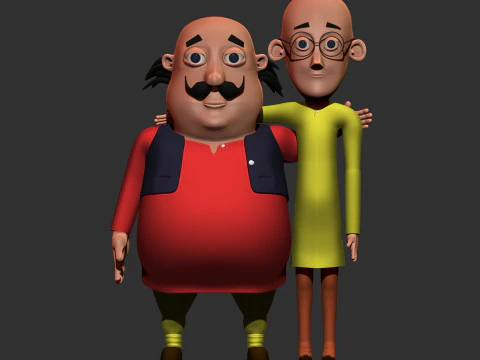 surajkiroula24Man
- -50%
 ismael2020Other



































Angesagte Suchanfragen 3D Modelle:
Skulptur 3D Modelle Charaktere 3D Modelle Küche 3D Modelle Pferd 3D Modelle Außenbereich 3D Modelle Telefon und Handy 3D Modelle Gemüse 3D Modelle Schmuck 3D Modelle Spielzeug 3D Modelle Medizinisch 3D Modelle Helikopter 3D Modelle Schwere Waffen 3D Modelle LKW 3D Modelle Anatomie 3D ModelleF1: Was bedeutet ein "3D-Skizzenmodell" in der Praxis?
Es handelt sich um einen etwas mehrdeutigen Begriff, der zwei unterschiedliche Dinge umfasst. Erstens: Grobe Geometrie in der Konzeptphase – blockartige, detailarme Modelle, die in der Vorproduktion als räumliche Platzhalter dienen, ähnlich wie man in ZBrush oder Blender vor der endgültigen Topologie vorgeht. Zweitens: Modelle, die für eine handgezeichnete oder skizzenhafte Ästhetik entworfen wurden – denken Sie an Cel-Shading mit Tuschekonturen und sichtbaren Bleistiftstrichen. Die zweite Kategorie ist eine bewusste Stilwahl, keine unfertige Arbeit. In Blender erreichen Sie dies mit dem Grease Pencil Renderer oder der Freestyle-Kantenerkennung. Wenn Sie eines dieser Produkte kaufen und das andere erhalten, ist das ärgerlich – lesen Sie die Beschreibung vor dem Kauf sorgfältig durch.
F2: Wie werden skizzenhafte 3D-Modelle in Animation und Film verwendet?
Vor allem in Titelsequenzen, Erklärvideos und stilisierten Kurzfilmen, wo die handgezeichnete Ästhetik bewusst eingesetzt wird. Architekturbüros verwenden Skizzen-Renderings ebenfalls in frühen Kundenpräsentationen – ein grobes, skizzenhaftes Rendering signalisiert „Dies ist ein Konzept, keine verbindliche Zusage“, was bei einem fotorealistischen Rendering nicht der Fall ist. In After Effects lassen sich als Bildsequenzen exportierte 3D-Modelle im Skizzenstil nahtlos in handgezeichnete Animationselemente integrieren. Für diese Pipeline benötigen die Modelle klare Silhouetten und minimale Oberflächendetails – die visuelle Sprache basiert auf Linienführung, nicht auf Texturen.