


 English
 Español
 Deutsch
 日本語
日本語 Français
 한국의
한국의 Українська
 Italiano
 Nederlands
 Türkçe
 Português
 Bahasa Indonesia
 Русский
 中國
中國 हिंदी
हिंदी
















Plastikowy CG Tekstury
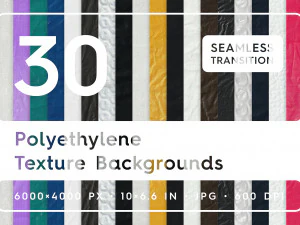
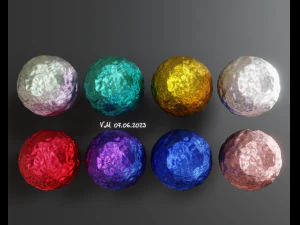
Mamy 7 produkty/ów Bez opłat licencyjnych Modele 3D. In this category, we gathered a big collection of plastic textures created by professional 3d artists. You will be astounded by their realistic look and perfect quality. These plastic textures will meet all your needs. They are the best solution for your project! Each plastic texture is available for download. Download CG Textures with .jpg, .png, .psd, .tga, .tif, .hdr and .i3d formats. Browse the full collection and find something useful in the categories Planets Textures and Plaster Textures.


Popularne wyszukiwania Modele 3D:
Rzeźba Modele 3D Postacie Modele 3D Kuchnia Modele 3D Koń Modele 3D Architektoniczne Zewnątrz Modele 3D Telefon i Komórkowy Modele 3D Warzywo Modele 3D Biżuteria Modele 3D Zabawki Modele 3D Medyczny Modele 3D Śmigłowiec Modele 3D Ciężka Broń Modele 3D Ciężarówka Modele 3D Anatomia Modele 3DTekstura plastiku
Tekstura plastiku to cyfrowy materiał lub obraz, który przedstawia wygląd powierzchni i właściwości fizyczne plastiku w projektach 2D lub 3D. Teksturę plastiku można wykorzystać w modelu 3D. Ma ona na celu odtworzenie wyglądu i reakcji prawdziwego plastiku na światło, w tym jego gładkości, połysku, koloru i subtelnych niedoskonałości powierzchni. Czy wiesz, że tekstury plastiku różnią się znacznie w zależności od rodzaju i metody przetwarzania? Plastik formowany wtryskowo często ma gładkie, błyszczące wykończenie, podczas gdy plastik drukowany w 3D może być szorstki i matowy.
Biblioteka tekstur plastiku – zasoby o jakości profesjonalnej
W 3DExport znajdziesz obszerną bibliotekę tekstur plastiku. W 3DExport znajduje się około 4021 pozycji związanych z tworzywami sztucznymi, w tym bezszwowe tekstury PBR, pakiety tła, mapy powierzchni i inne zasoby tekstur z tworzyw sztucznych.
Pliki tekstur materiałów z tworzyw sztucznych
Przeglądając tę kategorię, znajdziesz pakiety tekstur ze stylami powierzchni z tworzyw sztucznych, w tym gładkie, błyszczące tworzywa sztuczne, półmatowe wykończenia i arkusze szczegółów powierzchni. Każdy pakiet tekstur zazwyczaj zawiera następujące komponenty:
Profesjonalny pakiet materiałów z tworzyw sztucznych w 3DExport może zawierać:
- Mapy albedo / koloru bazowego, normalny, chropowatości / połysku, wysokości / przemieszczenia;
- Okluzja otoczenia (AO) — zwiększa głębię w szczelinach;
- Warianty kafelkowe / bezszwowe — do dużych lub powtarzających się powierzchni.
Różne tekstury pokryć plastikowych
W 3DExport dostępny jest szeroki wybór tekstur plastikowych:
- Błyszczący plastik – błyszczące powierzchnie (elektronika, zabawki, folia plastikowa, sprzęt AGD);
- Matowy plastik – miękkie, nieodblaskowe wykończenie (klawiatury, kontrolery);
- Teksturowany plastik – ziarniste lub chropowate powierzchnie (wnętrza samochodów, uchwyty narzędzi);
- Przezroczysty/półprzezroczysty plastik – akryl, poliwęglan;
- Przetworzony lub zużyty plastik – Zarysowania, blaknięcie, uszkodzenia powierzchni.
Pakiet tekstur z tworzyw sztucznych – dostępne wszystkie style
3DExport oferuje starannie dobraną kolekcję tekstur CG o tematyce tworzyw sztucznych, stworzonych przez profesjonalnych projektantów. W tej kategorii tekstur z tworzyw sztucznych znajduje się 4021 tekstur, obejmujących różne style i wyglądy materiałów, odpowiednie do renderowania 3D, wizualizacji produktów i procesów projektowych. Tekstury z kategorii tworzyw sztucznych są dostępne w formatach .jpg, .png, .psd, .tga, .tif, .hdr, .i3d, w zależności od dostępnych plików danego elementu.
Tło z teksturą plastikową do projektów
W 3DExport znajdziesz darmowe tekstury tła z teksturą plastikową, które możesz wykorzystać w swoich projektach — od abstrakcyjnych wzorów po bezszwowe powierzchnie z tworzywa sztucznego, idealne do plakatów, grafiki internetowej, banerów, makiet i innych.
Zasoby 3D z teksturą plastikową gotowe do użycia
W 3DExport znajdziesz najwyższej jakości zasoby tekstur 3D z tworzywa sztucznego, które zawierają mapy PBR i formaty kompatybilne z Blenderem, Unreal, Unity, Maya, 3ds Max i innymi procesami pracy 3D.
Dostępne darmowe tekstury z tworzywa sztucznego
W 3DExport znajdziesz płatne i darmowe tekstury z tworzywa sztucznego. Wiele darmowych tekstur oferowanych w 3DExport jest dostępnych w projektach renderowania 3D, projektowania i wizualizacji — Wiele z nich ma wysoką rozdzielczość i zawiera mapy PBR.
Dlaczego warto wybrać nasze tekstury plastikowe?
Nasze tekstury plastikowe są dostępne w różnych formatach, w tym .jpg, .png, .psd, .tga, .tif, .hdr, .i3d i innych. Każdy pakiet tekstur zazwyczaj zawiera różne komponenty, w tym albedo/kolor bazowy, normalny, chropowatość/połysk, mapy wysokości/przemieszczenia, okluzję otoczenia (AO) oraz warianty kafelkowe/bezszwowe. Pakiety te można wykorzystać do renderowania 3D, wizualizacji, materiałów do gier i projektowania produktów.
Pobierz pliki tekstur plastikowych już dziś
Przejrzyj naszą bogatą kolekcję i wybierz teksturę plastikową najbardziej odpowiednią do swojego projektu. Nasi profesjonalni konsultanci pomogą Ci zaimportować je do Twojego projektu kreatywnego lub komercyjnego.
FAQ
Jakie formaty plików są zawarte w pakietach tekstur z tworzywa sztucznego do pobrania?
Pakiety tekstur z tworzywa sztucznego zawierają różne formaty, w tym .jpg, .png, .psd, .tga, .tif, .hdr, .i3d i inne.
Czy mogę używać tekstur z tworzywa sztucznego w projektach komercyjnych?
Tak, można używać tekstur z tworzywa sztucznego w projektach komercyjnych.
Jaka jest różnica między błyszczącą a matową teksturą z tworzywa sztucznego?
Różnica między błyszczącymi a matowymi teksturami z tworzywa sztucznego polega przede wszystkim na tym, jak odbijają światło, ich wyglądzie i właściwościach dotykowych. Błyszczące tworzywa sztuczne odbijają światło ostro, tworząc wyraźne i ostre odbicia, niemal jak lustro, podczas gdy matowe tworzywa sztuczne rozpraszają światło, zamiast odbijać je bezpośrednio, co daje delikatniejsze, matowe wykończenie.
Jak zastosować teksturę plastiku w Photoshopie lub Blenderze?
Aby zastosować teksturę plastiku w Photoshopie, otwórz dokument i teksturę, zmień rozmiar i położenie tekstury, w razie potrzeby zamaskuj teksturę, dostosuj warstwy i zapisz projekt.
Jaka rozdzielczość jest najlepsza dla tekstury plastiku w wizualizacji produktu?
Jeśli chodzi o wysokiej jakości wizualizację produktu w ujęciach zbliżeniowych, w tym zbliżeniach elektroniki użytkowej, opakowań kosmetyków, mebli i innych, zwróć uwagę na tekstury w rozdzielczości od 2K do 4K. Wybierając ujęcia produktów o średnim zasięgu, w tym ujęcia całego produktu lub obiektów w kontekście sceny, ale nie w ekstremalnych zbliżeniach, zwróć uwagę na tekstury w rozdzielczości od 1K do 2K.