


 English
 Español
 Deutsch
 日本語
日本語 Polska
 Français
 한국의
한국의 Українська
 Italiano
 Türkçe
 Português
 Bahasa Indonesia
 Русский
 中國
中國 हिंदी
हिंदी
















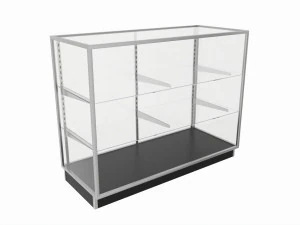
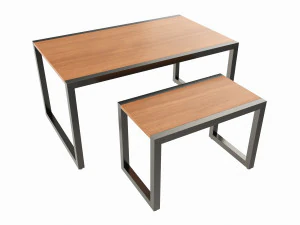
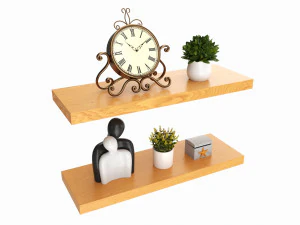
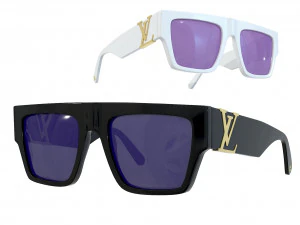
rechthoek 3D Modellen
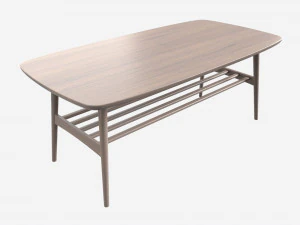
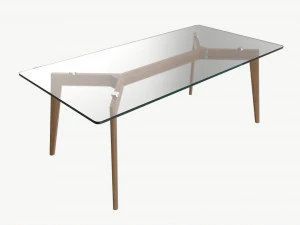
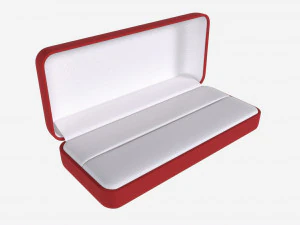
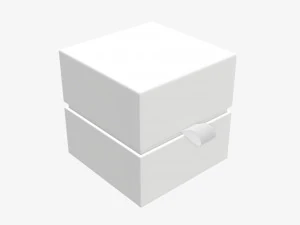
Wij hebben 238 item(s) Royalty free rectangle 3D Modellen. Koop of download gratis 3D modellen voor uw CG-projecten, film- en videoproductie, animatie, visualisaties, games, VR/AR en meer. U kunt elk 3D model downloaden in alle populaire 3D formaten, inclusief MAX, OBJ, FBX, 3DS, STL, C4D, BLEND, MAYA






























Populaire zoekopdrachten 3D Modellen:
Standbeelden 3D Modellen Karakters 3D Modellen Keuken 3D Modellen Paard 3D Modellen Architechturale ontwerpen 3D Modellen Telefoon en mobiel 3D Modellen Groente 3D Modellen Juwelen 3D Modellen Speelgoed 3D Modellen Medisch 3D Modellen Helikopter 3D Modellen Zware wapens 3D Modellen Vrachtwagen 3D Modellen Anatomie 3D ModellenVraag 1: Waarom een 3D-rechthoekmodel downloaden in plaats van er zelf een te maken in de software?
Terechte vraag — elke 3D-applicatie kan binnen enkele seconden een kubus genereren. De reden om een kant-en-klaar rechthoekmodel te downloaden is meestal contextueel: je hebt er een nodig die al UV-uitgevouwen is met strakke naden, vooraf geschaald is naar de werkelijke afmetingen, of is ingesteld met de juiste afschuining- en subdivisiemodifiers voor een vloeiende rendering. Een simpele kubus uit Blender met standaardinstellingen heeft UV-naden op onhandige plekken die zichtbare textuurvervorming veroorzaken. Een professioneel voorbereid rechthoekmodel wordt geleverd met een doordachte UV-layout, de juiste schaal (bijvoorbeeld een standaard baksteen, een zeecontainer of een wandpaneel met realistische metrische afmetingen) en vooraf toegewezen materiaalsleuven. Voor snelle prototyping in games of architectuurvisualisatie bespaart dat aanzienlijk veel tijd.Vraag 2: Waarvoor worden 3D-rechthoekmodellen gebruikt in architectuurvisualisatie?
Voornamelijk als bouwstenen voor volumestudies en modulaire constructie. Voordat gedetailleerde modellen in projecten worden afgerond, bouwen architecten en visualisatiestudio's scène-indelingen met eenvoudige rechthoeken op de juiste afmetingen – wat "grey boxing" wordt genoemd. Rechthoeken op de juiste schaal voor muren, vloeren, plafonds en meubelcontouren maken het mogelijk om beslissingen te nemen over belichting en cameracompositie voordat de kwaliteit van de assets van belang is. Ze worden ook gebruikt als placeholder-geometrie in afwachting van de definitieve assets. In tools zoals de archviz-pipeline van Unreal Engine wordt de grey-box-geometrie geleidelijk vervangen door de uiteindelijke meshes zonder iets te verplaatsen – de rechthoeken bepalen de ruimtelijke relaties die alle andere elementen overnemen.
Vraag 3: Kunnen 3D-rechthoekmodellen worden gebruikt in educatieve lessen over 3D-geometrie?
Ja, en ze zijn vooral handig bij het aanleren van eigenschappen zoals oppervlakte, volume en geometrische relaties in interactieve 3D-omgevingen. Schone, correct gelabelde rechthoekmodellen in GLB- of OBJ-formaat kunnen worden geïmporteerd in webgebaseerde 3D-viewers (Three.js, Babylon.js) voor educatieve tools die via de browser toegankelijk zijn. Voor educatieve AR-apps die ARKit of ARCore gebruiken, is eenvoudige doosgeometrie vaak het startpunt voor interactieve wiskundelessen: leerlingen kunnen afmetingen manipuleren en de metingen in realtime zien bijwerken. Het bestand zelf geeft geen les, maar schone geometrie met een consistente schaal vormt de basis die het programmeerwerk voorspelbaar maakt.Vraag 4: Hoe voeg ik realistische texturen toe aan een eenvoudig 3D-rechthoekmodel?
In Blender kun je de rechthoek uitpakken met "Smart UV Project" of door de naad handmatig te plaatsen. Pas vervolgens een Principled BSDF-shader toe. Verbind een diffuse textuur met de Base Color-ingang, een normal map met de Normal-ingang (via een Normal Map-node met de juiste sterkte — 0,5–1,0 is gebruikelijk) en een roughness map met de Roughness-ingang. Websites zoals Polyhaven bieden gratis PBR-textuursets aan die speciaal zijn ontworpen voor architectonische materialen — beton, hout, baksteen — die netjes op rechthoekige geometrie kunnen worden getegeld. De textuurschaal wordt geregeld door een Mapping-node die is verbonden met een Texture Coordinate-node; pas de schaal aan totdat de textuurtegels overeenkomen met de werkelijke verhoudingen. Baksteentexturen moeten bijvoorbeeld zo worden geschaald dat bakstenen ongeveer 21 × 10 cm in de scène lijken.