


 English
 Español
 Deutsch
 日本語
日本語 Polska
 Français
 Українська
 Italiano
 Nederlands
 Türkçe
 Português
 Bahasa Indonesia
 Русский
 中國
中國 हिंदी
हिंदी
















사물 3D 모델
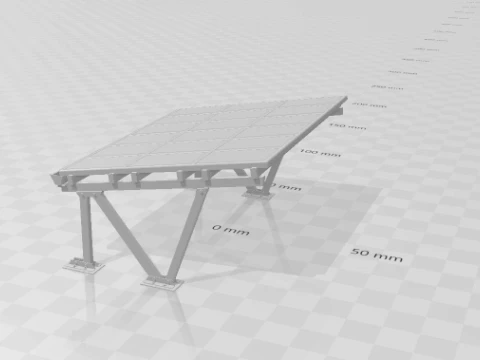
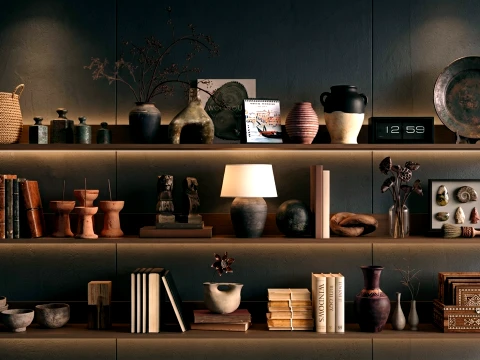
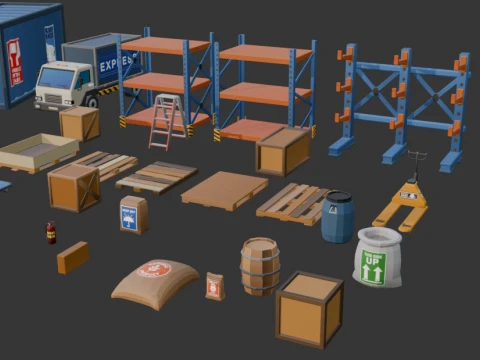
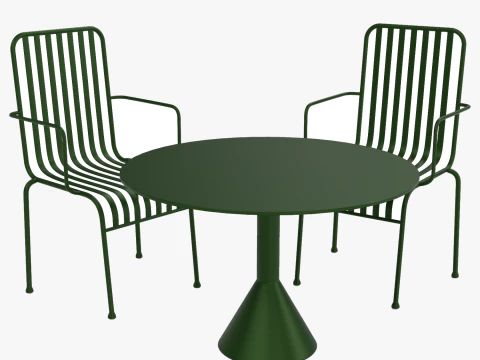
보유하고 있는 것 233 아이템 로열티 프리 objects 3D 모델. CG 프로젝트, 영화 및 비디오 제작, 애니메이션, 시각화, 게임, VR/AR 등을 위한 무료 3D 모델을 구입하거나 다운로드하세요. 다음을 포함하여 모든 인기 있는 3D 형식으로 3D 모델을 다운로드할 수 있습니다. MAX, OBJ, FBX, 3DS, STL, C4D, BLEND, MAYA



































페이지 1 중 3
인기 검색어 3D 모델:
조각 3D 모델 캐릭터 3D 모델 부엌 3D 모델 말 3D 모델 외관 3D 모델 휴대 전화 3D 모델 야채 3D 모델 쥬얼리 3D 모델 장난감 3D 모델 의료 3D 모델 헬리콥터 3D 모델 중무기 3D 모델 트럭 3D 모델 해부학 3D 모델질문 1: 3DExport에서 이용 가능한 3D 객체 카테고리는 무엇인가요?
카탈로그는 가구, 가정용품, 전자제품, 음식 및 음료 소품, 산업 도구, 무기, 차량, 건축 요소, 장식품 등 매우 광범위합니다. 특히 건축 시각화 분야에서는 가구 및 인테리어 소품 카테고리가 소파, 식탁 세트, 주방 가전제품, 조명 기구 등 매우 다양합니다. 게임 개발자들은 주로 소품 섹션, 즉 상자, 통, 간판, 일반적인 환경 장식물을 활용합니다. 제작 과정에서 "소품"과 "주요 에셋"의 구분은 중요합니다. 소품은 카메라가 스쳐 지나가는 것이고, 주요 에셋은 카메라가 오래 머무르는 것입니다. 대부분의 저렴한 3D 오브젝트는 소품 품질로, 배경 사용에는 적합하지만 클로즈업 렌더링에는 적합하지 않습니다. 카메라에 담을 만한 가치가 있는 에셋을 찾으려면 텍스처 해상도와 폴리곤 수를 기준으로 필터링하세요.Q2: 실시간 렌더링에 최적화된 3D 객체를 어떻게 찾을 수 있나요?
"게임 준비 완료", "PBR 텍스처", "로우 폴리"라고 명시된 목록을 찾아보세요. PBR(물리 기반 렌더링) 재질(러프니스, 메탈릭, 노멀 맵)은 표준 채널에 포함되어 있으며, 셰이더 수정 없이 언리얼 엔진 5와 유니티 모두에서 제대로 작동합니다. 폴리곤 개수도 중요한 기준입니다. 실시간 소품은 일반적으로 10,000개 미만의 삼각형으로 구성됩니다. 대부분의 검색 필터에서 확인할 수 없는 중요한 정보는 드로우 콜 수입니다. 12개의 개별 재질 슬롯을 가진 "로우 폴리 오브젝트"는 하나의 아틀라스를 가진 하이 폴리 오브젝트보다 성능이 떨어질 수 있습니다. 제품 페이지에 하나 또는 두 개의 아틀라스 대신 여러 개의 개별 텍스처 파일이 표시되는 경우, 이러한 최적화 비용을 고려해야 합니다.질문 3: 3DExport의 3D 객체는 AR/VR 애플리케이션에 사용하기에 적합한가요?
대부분의 3D 객체는 플랫폼에 맞게 조정할 수 있지만, "적합" 여부는 사용하시는 플랫폼에 따라 다릅니다. ARKit과 ARCore(iOS 및 Android)는 GLB/GLTF 형식을 기본적으로 지원하며, 3DExport의 많은 객체가 GLB 형식으로 내보내집니다. 가장 중요한 제약 조건은 폴리곤 수입니다. 모바일 기기에서의 AR 환경은 일반적으로 주요 객체의 삼각형 수를 5만 개로 제한하고, 텍스처 아틀라스는 2K 해상도를 넘지 않도록 합니다. PC VR 헤드셋(Quest 3, Vision Pro 패스스루, PC VR)은 더 많은 폴리곤을 처리할 수 있지만, 깔끔한 LOD(Level of Detail) 체인을 사용하는 것이 여전히 중요합니다. 더 큰 문제는 종종 크기 조정입니다. 많은 3D 객체가 임의의 단위로 모델링되기 때문입니다. 제품 설명에 명시된 실제 크기를 반드시 확인하십시오. 예를 들어, 너비가 10미터로 모델링된 커피 테이블은 어떤 크기 조정을 적용해야 하는지 모르면 AR 장면에서 사용할 수 없습니다.질문 4: 3DExport의 3D 오브젝트를 Blender에서 상업적 렌더링에 사용할 수 있나요?
네, 표준 상업용 라이선스가 이를 포함합니다. Blender 4.x로 OBJ 또는 FBX 파일을 불러온 후, Principled BSDF 셰이더를 사용하여 PBR 재질을 적용하고 Cycles 또는 EEVEE Next로 렌더링하세요. 한 가지 실질적인 문제점은 Blender에서 FBX 파일을 불러올 때 텍스처의 감마가 잘못 설정되는 경우가 많다는 것입니다. 디퓨즈/알베도 맵은 "sRGB"로, 러프니스, 메탈릭, 노멀 맵은 "비색상"으로 색상 관리를 설정하세요. Blender가 불러오기 시 자동으로 처리하지 않는 경우가 있으므로 이 단계를 수동으로 수행해야 합니다. 텍스처가 과다 노출되거나 색이 바랜 것처럼 보이는 경우 80%는 이 때문입니다.