


 Español
 Deutsch
 日本語
日本語 Polska
 Français
 한국의
한국의 Українська
 Italiano
 Nederlands
 Türkçe
 Português
 Bahasa Indonesia
 Русский
 中國
中國 हिंदी
हिंदी
















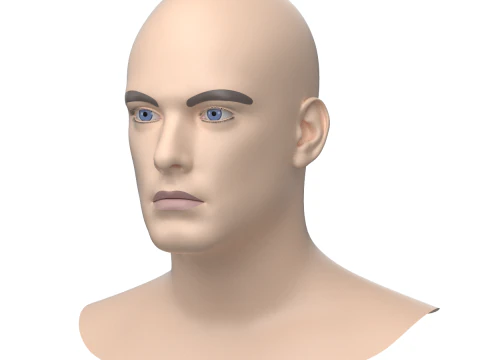
face 3D Models
We have 2855 item(s) Royalty free face 3D Models. Buy or download free 3D models for your CG projects, film and video production, animation, visualizations, games, VR/AR, and others. You can download any 3d model in all popular 3d formats including MAX, OBJ, FBX, 3DS, STL, C4D, BLEND, MAYA
 malibusanHousehold Items
- -40%
 Avera3dPendants
 - -30%
 3dgardenplantsGrass and Ground Cover$23.10
$33.00

























Trending searches 3D Models:
Sculpture 3D Models Characters 3D Models Kitchen 3D Models Horse 3D Models Architectural Exteriors 3D Models Phone and Cell Phone 3D Models Vegetable 3D Models Jewellery 3D Models Toys 3D Models Medical 3D Models Helicopter 3D Models Heavy Weapon 3D Models Truck 3D Models Anatomy 3D ModelsQ1: What topology requirements make a 3D face model animatable?
The edge loops need to follow facial muscle groups — it's that specific. Around the eyes, concentric loops follow the orbicularis oculi; around the mouth, loops follow the orbicularis oris. Without this structure, squinting or smiling deforms the mesh in unnatural ways that no rig can fully compensate for. The nose bridge needs clean loops that support the levator labii muscle region for sneer expressions. Ear topology matters less unless close-up ear animation is required. A good rule: if you remove all the textures and look at the wireframe, it should look like a contour map of a face, not a grid.
Q2: How are 3D face models used in real-time facial tracking applications?
Apps like FaceTime, Snap filters, and game character customization use a 3D face mesh that deforms in real time based on camera input. Apple's ARKit provides a 1,220-vertex face mesh; Meta's face tracking SDK outputs similar data. A face model built to match these vertex topologies can receive deformation data directly — you don't animate it, the tracking drives it. For custom applications, look for face models tagged as "ARKit-compatible" or "52 blend shapes" — Apple's ARKit uses exactly 52 blend shape coefficients for facial expression tracking, and models built to this spec drop directly into iOS AR apps.
Q3: What's the best 3D face model for learning character sculpting?
A neutral base mesh with clean topology — not a finished character. Starting from a photorealistic or production-quality face and trying to learn sculpting on top of it is counterproductive; you're fighting someone else's decisions rather than learning your own instincts. A clean base mesh at 3,000–8,000 quads gives you the spatial structure to work with while leaving enough creative room. In ZBrush, import the base mesh, subdivide to level 4–5 (giving you roughly 750k–2M polygons to sculpt on), and work from large forms to small details. The base mesh's topology doesn't directly affect the sculpt quality at high subdivision, but it does affect how cleanly you can retopologize afterward.
Q4: Can 3D face models be used for game character creation in Unreal Engine 5?
Yes — UE5's MetaHuman system somewhat changes the calculus here. MetaHuman Creator (free) generates production-quality digital humans with rigged faces, LODs, and UE5-compatible materials. But for stylized characters, non-human faces, or art directions outside MetaHuman's photorealistic range, custom face models from 3DExport are exactly what's needed. Import via FBX as a skeletal mesh, set up a Control Rig in UE5's animation system, and connect to the MetaHuman face rig if you want to drive the custom face with the same animation data. The Control Rig setup takes a few hours but is well-documented in Unreal's official tutorials.