


 Español
 Deutsch
 日本語
日本語 Polska
 Français
 한국의
한국의 Українська
 Italiano
 Nederlands
 Türkçe
 Português
 Bahasa Indonesia
 Русский
 中國
中國 हिंदी
हिंदी

















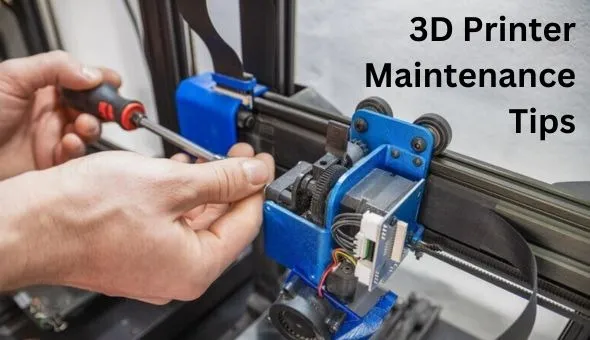
3D printing is addictive in the best way. The moment your printer starts producing clean layers and precise details, it feels almost magical. But that magic depends on something far less glamorous - maintenance.
Whether you run a small workshop, experiment with prototypes, or print functional parts for clients, regular care determines how reliable your machine will be. A well-maintained printer delivers consistent quality, fewer failed prints, and a much longer lifespan. Neglect it, and even the best hardware will start acting unpredictably.
Let's break down the essential habits that keep your 3D printer in peak condition.
1. Keep the Nozzle Clean and Happy
The nozzle is where precision begins. It's also the part most likely to cause frustration.
Over time, filament residue builds up inside and around the nozzle. Dust sticks to melted plastic. Small clogs form. Suddenly, extrusion becomes inconsistent, layers look rough, or prints fail halfway through.
A few simple routines prevent most of this:
- Wipe the nozzle exterior while it's warm (not hot enough to burn).
- Use a brass brush to remove plastic buildup.
- Perform cold pulls periodically to clear internal residue.
- Replace worn nozzles instead of forcing them to perform.
If you switch materials often - say from PLA to PETG or ABS - make cleaning part of that transition. Different materials leave different residues, and cross-contamination affects print quality.
A clean nozzle equals clean layers. It's that simple.
2. Level the Bed - More Often Than You Think
If there's one maintenance habit that directly impacts success rate, it's bed leveling.
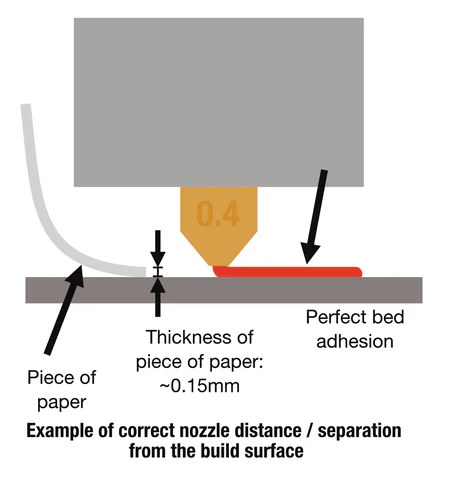
The first layer sets the foundation for everything that follows. Too close to the bed and filament smears. Too far, and it doesn't adhere. Even slight misalignment can cause warping, corner lifting, or entire print failures.
Manual leveling requires patience and feel. Use a thin sheet of paper and check all corners and the center. Adjust gradually. Repeat if necessary.
If your machine includes auto bed leveling, don't assume it removes the need for checks. Sensors still require calibration. Mechanical shifts happen over time, especially if you move the printer or print large, high-temperature jobs.
Also, to inspect the print surface itself. PEI sheets, glass beds, and build plates wear out. Clean them with isopropyl alcohol regularly to remove oils and debris.
Consistency begins at the base.
3. Lubricate Moving Parts - But Don't Overdo It
Your printer is a mechanical system. Rods slide. Belts tension. Lead screws rotate. All of this movement requires proper care.
Dry or dusty rods cause friction. Friction leads to inconsistent motion. Inconsistent motion shows up as layer shifts or uneven surfaces.
Every few weeks, depending on usage:
- Wipe smooth rods clean.
- Apply a small amount of appropriate lubricant.
- Check Z-axis lead screws for debris.
- Inspect belts for tension and wear.
Belts should feel firm, not loose, and not guitar-string tight. Over-tightening strains motors. Loose belts create ghosting and inaccurate dimensions.
Maintenance here isn't dramatic. It's subtle. Quiet. Preventative.
But it protects precision.
4. Manage Filament Storage
Many print problems blamed on the machine are actually caused by filament.
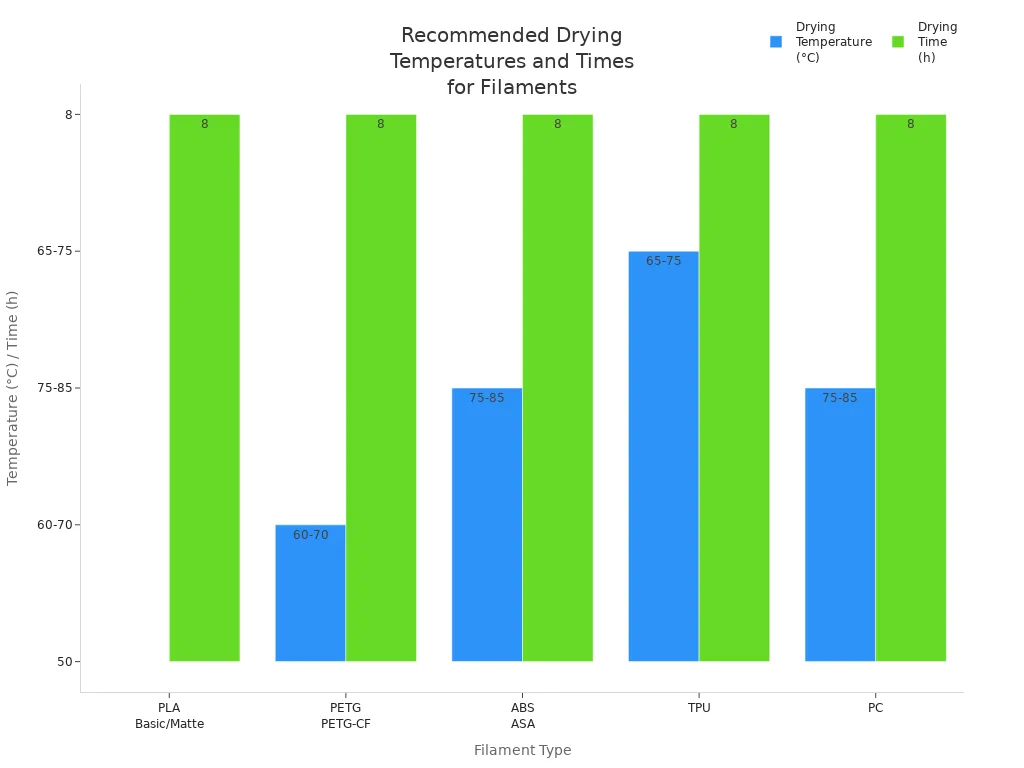
Moisture is the hidden enemy of 3D printing. PLA, PETG, nylon, and especially TPU absorb humidity from the air. Once saturated, the filament produces bubbles, stringing, weak layers, and rough textures.
If you hear popping or crackling during extrusion, moisture is likely the cause.
Store filament in sealed containers with desiccant. For humid environments, consider a filament dryer. Even a few hours of drying can dramatically improve print quality.
Also, inspect spools for dust or tangles. A simple filament guide and dust filter can prevent contamination before it reaches the extruder.
Think of filament as a raw material. Protect it like one.
5. Keep Firmware and Slicer Profiles Updated
Maintenance isn't only physical.
Manufacturers regularly release firmware updates that improve temperature stability, motion control, or safety. Updating firmware can resolve subtle issues you might have been compensating for manually.
The same applies to slicer software. New versions often optimize path planning, support generation, and retraction behavior.
That said, don't update blindly in the middle of a critical production run. Test updates on small prints first. Save working profiles before experimenting.
Reliable output comes from stable settings.
6. Watch for Warning Signs
Printers usually whisper before they fail.
Listen for unusual grinding noises. Watch for temperature fluctuations. Notice if extrusion becomes inconsistent or if prints start detaching more frequently.
Small irregularities are early signals:
- Slight under-extrusion
- Random stringing
- First-layer inconsistencies
- Unexpected layer shifts
Address them immediately instead of adjusting the slicer settings to mask the issue. Often, the root cause is mechanical, not digital.
Preventive maintenance is cheaper than replacing parts.
7. Clean the Whole Machine - Not Just the Important Parts
Dust collects everywhere. On fans. On electronics. Under the bed. Around stepper motors.
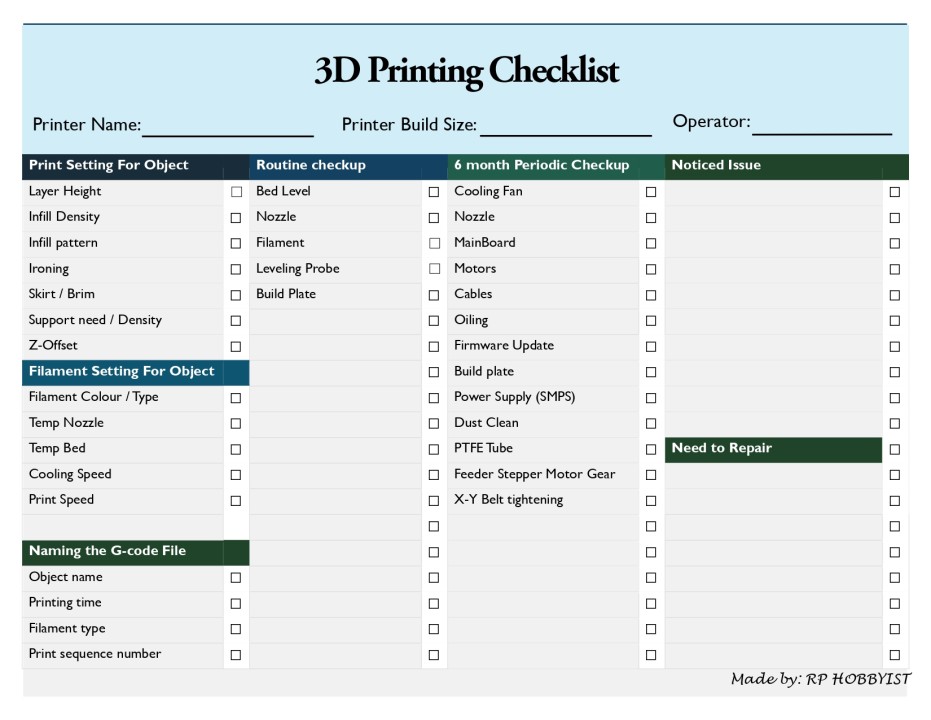
Over time, dust affects cooling efficiency and can even impact electronics.
Once a month:
- Vacuum around the frame.
- Use compressed air to clear fans.
- Check wiring connections for looseness.
- Inspect connectors for signs of heat damage.
If your printer runs frequently, treat it like workshop equipment, not a hobby gadget.
Professional results require professional care.
8. Create a Maintenance Routine
The biggest mistake isn't forgetting one specific task. It's an inconsistency.
Instead of reacting to failures, build a simple maintenance schedule:
Weekly:
- Clean nozzle exterior
- Check bed cleanliness
- Inspect belts visually
Monthly:
- Lubricate rods and screws
- Deep clean fans
- Check frame tightness
Quarterly:
- Replace worn nozzles
- Recalibrate steps and flow
- Review firmware and slicer settings
You don't need hours. Just discipline.
Final Thoughts
A 3D printer is part machine, part craft tool. It rewards attention. The more consistently you maintain it, the more predictable and satisfying your prints become.
Many users chase upgrades - new hotends, fancy extruders, custom enclosures. But before investing in hardware, invest in care. Most performance gains come from calibration and maintenance, not expensive add-ons.
Reliable 3D printing isn't about luck. It's about routine.
And once that routine becomes habit, your printer stops being temperamental equipment and starts becoming a dependable production partner.
