


 Español
 Deutsch
 日本語
日本語 Polska
 Français
 한국의
한국의 Українська
 Italiano
 Nederlands
 Türkçe
 Português
 Bahasa Indonesia
 Русский
 中國
中國 हिंदी
हिंदी
















book 3D Models
We have 1988 item(s) Royalty free book 3D Models. Buy or download free 3D models for your CG projects, film and video production, animation, visualizations, games, VR/AR, and others. You can download any 3d model in all popular 3d formats including MAX, OBJ, FBX, 3DS, STL, C4D, BLEND, MAYA
 Devils3DArtistDecor
- -30%
 FenixArtsMonsters and Creatures







































Trending searches 3D Models:
Sculpture 3D Models Characters 3D Models Kitchen 3D Models Horse 3D Models Architectural Exteriors 3D Models Phone and Cell Phone 3D Models Vegetable 3D Models Jewellery 3D Models Toys 3D Models Medical 3D Models Helicopter 3D Models Heavy Weapon 3D Models Truck 3D Models Anatomy 3D ModelsQ1: What level of detail should a book 3D model have for close-up renders?
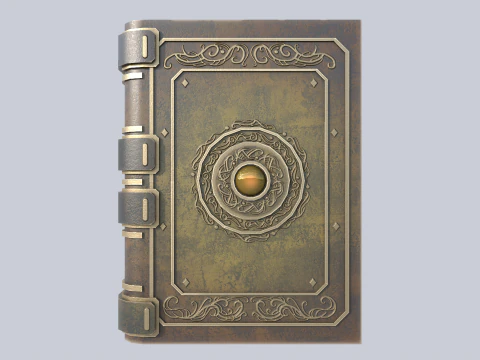
For close-up archviz or product visualization, books need: cover geometry with a slight flex (real book covers aren't perfectly flat — they bow slightly outward at the center), spine text readable at render resolution, page block geometry that suggests individual pages without modeling each one (a slight fan or stagger at the fore-edge gives this impression), and a ribbon bookmark if applicable. The cover material needs to differentiate between cloth, leather, and paper textures — each has distinct roughness, surface microdetail, and reflectivity. Page edges: white paper has a slight yellowish warm tone (not pure white), and the fore-edge often shows slight browning on older books. These details seem minor but are what separates "a book" from "a believable book."
Q2: How are book 3D models used in architectural visualization?
Bookshelves are one of the most effective ways to make a room render feel inhabited rather than staged. A wall of books signals personality, intellectual life, and lived-in character that empty shelves completely lack. The challenge is polygon budget — a bookshelf with 100 individually modeled books at 1,000 tris each is 100,000 tris for background dressing. The solution: a small set of 8–12 unique book models (varying height, spine width, cover texture), instanced repeatedly with random rotation variation (±5 degrees) and slight depth variation on the shelf. Random color variation on cover materials adds visual diversity without unique models. At bookshelf viewing distances, this instanced approach is indistinguishable from individually modeled books.
Q3: Can open book 3D models be used for displaying text or images in renders?
Yes — an open book with UV-mapped pages can display any text or image by swapping the page texture. For Blender product renders, create a simple plane geometry for each visible page, UV-unwrap it flat, and apply a custom texture (PDF export from InDesign, screenshot of a document) as the diffuse map. The pages need a slight paper roughness (0.5–0.6) and a very subtle subsurface scatter — thin paper is slightly translucent, and without any scatter the pages look like painted plastic. Page curl geometry for realistic page edges adds significant visual quality for hero book shots; this is typically achieved through a Bezier curve deforming the page plane geometry.
Q4: How do I create a realistic leather book cover material in Blender?
Leather has a specific PBR signature: roughness 0.5–0.65 (not as rough as fabric, not as smooth as patent leather), slight specularity, and a surface normal map showing the grain texture of the hide. Use a Voronoi or Musgrave texture node to generate the grain pattern, scale it to match real leather grain size (roughly 0.5–2mm feature size), and connect to the Normal Map node with 0.3–0.6 strength. Base color for brown leather: RGB approximately 90, 50, 25 with slight variation. Add a second wear layer — a rougher, slightly lighter material mixed in at edges and high-contact areas (spine, corners) using a curvature mask. The edge wear reads as the patina of use, which makes the book look like an actual object rather than a prop.