


 Español
 Deutsch
 日本語
日本語 Polska
 Français
 한국의
한국의 Українська
 Italiano
 Nederlands
 Türkçe
 Português
 Bahasa Indonesia
 Русский
 中國
中國 हिंदी
हिंदी
















cone 3D Models
We have 510 item(s) Royalty free cone 3D Models. Buy or download free 3D models for your CG projects, film and video production, animation, visualizations, games, VR/AR, and others. You can download any 3d model in all popular 3d formats including MAX, OBJ, FBX, 3DS, STL, C4D, BLEND, MAYA
- -50%
 ITman3DAutomotive
















































Trending searches 3D Models:
Sculpture 3D Models Characters 3D Models Kitchen 3D Models Horse 3D Models Architectural Exteriors 3D Models Phone and Cell Phone 3D Models Vegetable 3D Models Jewellery 3D Models Toys 3D Models Medical 3D Models Helicopter 3D Models Heavy Weapon 3D Models Truck 3D Models Anatomy 3D ModelsQ1: What distinguishes a downloaded 3D cone from a software-generated one?
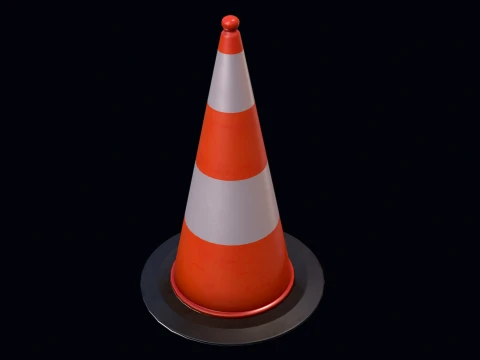
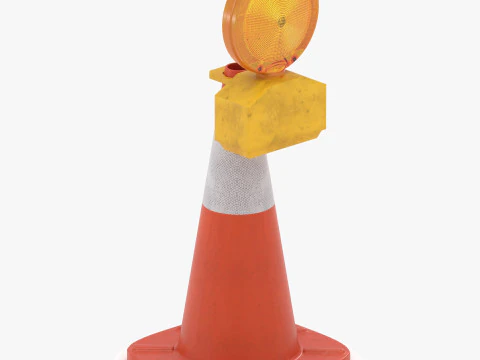
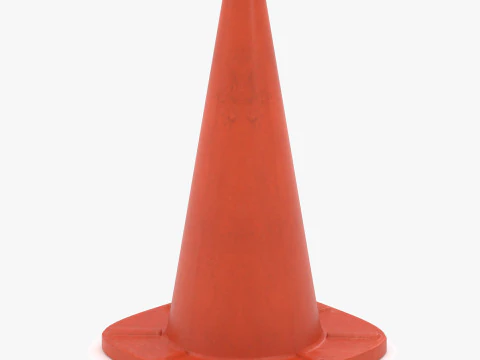
The same logic that applies to cubes and cylinders — a downloaded cone often comes pre-optimized for a specific purpose. A traffic cone model, for instance, isn't a primitive at all: it's a truncated cone with correct proportions (roughly 450mm tall for a standard UK cone, 720mm for a motorway cone), reflective stripe material, a weighted rubber base, and potentially a pre-built physics-ready collision mesh. A mathematical cone used for educational geometry content comes labeled, correctly dimensioned, and UV-mapped with scale markers. A stylized wizard hat or party hat cone is a textured asset, not a primitive. When someone searches "3D cone," they're usually looking for one of these specific things, not a grey default mesh.
Q2: How are 3D cone models used in traffic and urban simulation?
Traffic cones are ubiquitous in road construction visualization, driving simulation games, and urban planning presentations. For simulation, accurate physics behavior matters — a traffic cone should tip over realistically when struck by a vehicle, which requires a center of mass set near the rubber base and a collision mesh that matches the visible geometry. In Unreal Engine 5, the Chaos physics engine handles this with a convex hull collision mesh derived from the visual geometry. For visualization, sets of traffic cones in road construction scene dressing are a common archviz need — buying a pack of cone variants (upright, knocked over, with barriers) saves hours of individual modeling.
Q3: Can 3D cone models be 3D printed for scale model use?
Yes — traffic cones, ice cream cones, and geometric educational models are all practical prints. A hollow cone with 1.5mm wall thickness in PLA prints cleanly on any FDM printer. For traffic cone scale models (1:50 for architectural models, 1:87 for HO-scale train layouts), resin printing captures the small proportional details that FDM can't. The main print consideration for tall, narrow cones is the tip — very thin top points are fragile and may need to be truncated in the model or printed in flexible TPU rather than rigid PLA. A flat-topped truncated cone (the actual geometry of a real traffic cone) is structurally stronger and more accurate than a perfect mathematical point.
Q4: What are the UV mapping best practices for a 3D cone?
A cone has two natural UV approaches. Seam-and-unfurl: cut a vertical seam and unroll the lateral surface into a flat sector (pie slice shape). This works for textures that wrap around the cone continuously. Top-and-bottom projection: project the circular base as a flat disk and the lateral surface as a separate sector. Better for textures that need to read correctly from specific viewing angles, like the reflective stripes on a traffic cone. In Blender, the Cylinder Projection UV method handles cones reasonably well as a starting point. For perfectly uniform checkerboard textures, scale the UV island so the checker squares appear square (not stretched) at the viewing distance you'll primarily render from.