


 Español
 Deutsch
 日本語
日本語 Polska
 Français
 한국의
한국의 Українська
 Italiano
 Nederlands
 Türkçe
 Português
 Bahasa Indonesia
 Русский
 中國
中國 हिंदी
हिंदी
















3D Renders CG Textures
We have 160 item(s) Royalty free 3D Models. Here you will find a big choice of 3d renders created by professional 3d artists that will enhance the quality of your project. You will be amazed by their realistic design and superior quality. These concrete textures will perfectly fit any kind of project. Each concrete texture is available for download. Download CG Textures with .jpg, .png, .psd, .tga, .tif, .hdr and .i3d formats. You will undoubtedly find something useful in the categories Buildings Textures and Decals Textures.
- -50%
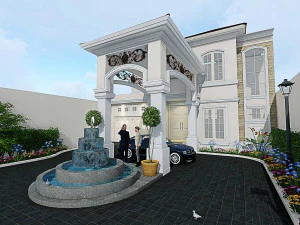 mexdesign3D Renders
 - -50%
 mexdesign3D Renders
 - -30%
 3djewels3D Renders
 - -30%
 3djewels3D Renders








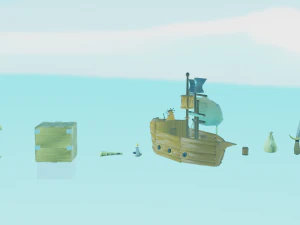


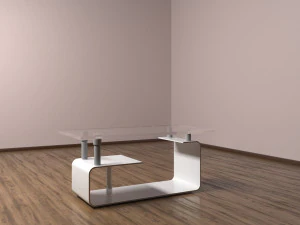


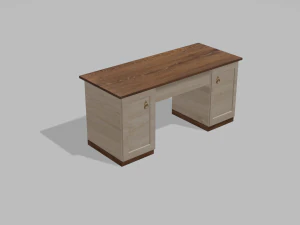


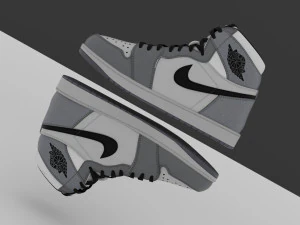


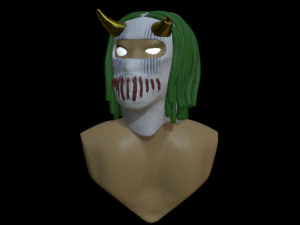

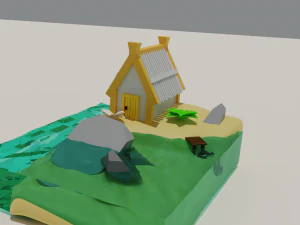





Trending searches 3D Models:
Sculpture 3D Models Characters 3D Models Kitchen 3D Models Horse 3D Models Architectural Exteriors 3D Models Phone and Cell Phone 3D Models Vegetable 3D Models Jewellery 3D Models Toys 3D Models Medical 3D Models Helicopter 3D Models Heavy Weapon 3D Models Truck 3D Models Anatomy 3D ModelsWhat are 3D render textures and how are they used?
In the digital workflow of 2026, 3D render textures are high-quality images of pre-rendered scenes or assets that are used as backgrounds, matte paintings, or sprites. These textures represent a finished 3D look that can be quickly composited into a 2D project or used as a backplate for a new 3D scene. They are essential for creators who need to achieve a high-end visual result without the time and hardware costs of rendering a full 3D environment. These assets provide a professional-grade visual foundation, allowing you to focus on the foreground elements while the background maintains a complex and detailed 3D aesthetic, serving as an efficient and high-fidelity solution for digital art.
How do these textures provide a shortcut to high-end visuals?
These textures provide a significant shortcut by offering a pre-calculated lighting and geometry solution. In 2026, a 3D render texture of a futuristic city or a complex industrial interior already contains all the reflections, shadows, and atmospheric effects that would normally take hours to render. By using these as backdrops, you can achieve a cinematic look instantly. The textures are provided at high resolutions with deep bit-depths, allowing for significant color grading to match your foreground elements. This professional efficiency is vital for concept artists and matte painters who need to produce high-quality work on tight deadlines, ensuring the final output looks expensive and expertly finished.
Are there render textures for specific sci-fi and fantasy themes?
Yes, our 2026 collection is rich with specialized 3D render textures for various imaginative genres. You can find "Cyberpunk-Alleyways," "Space-Station-Interiors," and "Epic-Fantasy-Castles." These textures are designed as complete vistas, providing a sense of scale and story that is ready to be used as a backdrop for your characters or products. The lighting in these renders is professionally staged to create a dramatic and moody atmosphere. This variety allows you to quickly set the scene for your narrative, providing a high-quality visual reference that is both inspiring and technically sound. These assets ensure your digital projects have a professional and polished look from the very first frame.
Can these textures be used for 2D and 3D compositing?
Absolutely. While they are 2D images, our 2026 3D render textures are designed to be used in both 2D and 3D workflows. In 2D software like Photoshop, they serve as the perfect base for matte paintings. In 3D software, they can be applied to "billboards" or "sky-planes" to create the illusion of a complex background without the computational cost of real geometry. Many of these textures are provided with separate depth maps or alpha channels, allowing for advanced compositing techniques like placing 3D fog between the background texture and your foreground models. This professional approach to world-building ensures your scenes look rich and detailed while remaining performant and manageable.
What rendering tips help blend 3D models with render textures?
To achieve a professional and seamless blend in 2026, we recommend matching the lighting direction and color temperature of your 3D models to the lighting in the 3D render texture. Use a depth-of-field setting that matches the focus of the background image to ground your models in the same virtual space. For the materials, ensure that the reflections on your 3D objects are influenced by the colors of the background texture. Adding a subtle layer of common noise or grain across both the 3D model and the render texture will help unify the two elements. These techniques help the models look like a natural part of the pre-rendered environment, providing a cohesive and high-fidelity result.