


 Español
 Deutsch
 日本語
日本語 Polska
 Français
 한국의
한국의 Українська
 Italiano
 Nederlands
 Türkçe
 Português
 Bahasa Indonesia
 Русский
 中國
中國 हिंदी
हिंदी
















city 3D Models
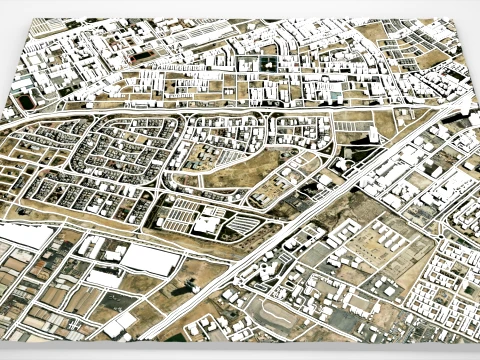
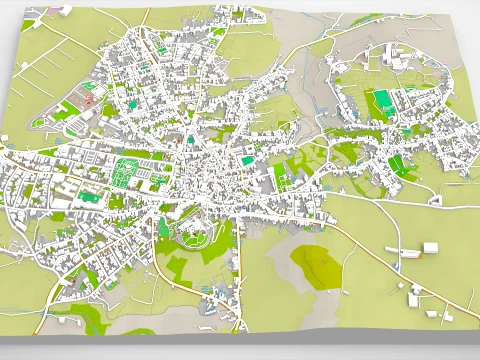
We have 27859 item(s) Royalty free city 3D Models. Buy or download free 3D models for your CG projects, film and video production, animation, visualizations, games, VR/AR, and others. You can download any 3d model in all popular 3d formats including MAX, OBJ, FBX, 3DS, STL, C4D, BLEND, MAYA




Trending searches 3D Models:
Sculpture 3D Models Characters 3D Models Kitchen 3D Models Horse 3D Models Architectural Exteriors 3D Models Phone and Cell Phone 3D Models Vegetable 3D Models Jewellery 3D Models Toys 3D Models Medical 3D Models Helicopter 3D Models Heavy Weapon 3D Models Truck 3D Models Anatomy 3D ModelsQ1: What's the difference between a city model kit and a pre-built city model?
A kit — the more useful purchase for most projects — is a collection of modular building, street, and prop assets that you assemble into custom city layouts. Individual building types (residential blocks, commercial towers, industrial units), street elements (roads, sidewalks, intersections, signage), and props (trees, vehicles, benches) that snap together by design. A pre-built city is one assembled scene — useful if you need exactly that layout but impossible to modify without significant work. For game development, the modular kit is almost always the right choice: you configure the city to match your game's needs. For film establishing shots where you just need a specific skyline, a pre-assembled scene is faster.
Q2: What polygon count is appropriate for a real-time 3D city model?
Individual buildings in a city game environment: 500–3,000 tris for background structures, 5,000–15,000 for mid-range hero buildings, 30,000–80,000 for enterable landmark buildings. The city as a whole is managed through streaming and LOD — you never load all geometry simultaneously. Unreal Engine 5's World Partition system handles open-world city streaming automatically, loading only geometry near the player's position. The effective polygon budget is therefore per-visible-area rather than total city. For aerial establishing shots, a full city skyline at 2–5 million total triangles renders efficiently with Nanite. Street-level interactive areas need much denser geometry within a smaller spatial footprint.
Q3: Can procedural city generation tools replace purchased city 3D models?
Partially. Houdini's procedural city generation, Blender's geometry nodes city generators, and dedicated tools like CityEngine (Esri) and SpeedTree can generate city geometry procedurally from rule sets. These are excellent for large-scale background cities where you need kilometers of streets and buildings without individual detail. Where purchased models remain essential: hero building assets with interior detail, landmark structures, and detailed street-level props that procedural generation can't produce with the required specificity. A procedurally generated building looks generic at close range; a hand-modeled hero building has the intentional design details that make environments feel authored rather than generated.
Q4: What file formats work best for large 3D city models?
For game engines: FBX or GLB per component, organized into asset libraries. Never one monolithic FBX for an entire city — import times become impractical and you lose the ability to version-control individual assets. For Blender archviz: linked library system where each building type is a separate .blend file linked into the master scene — this keeps file sizes manageable and allows parallel team work. For film VFX in USD pipeline (Universal Scene Description, now standard in VFX production): USD or USDA format with asset referencing. USD's non-destructive layering system is ideal for city models where different departments — layout, lighting, effects — need to modify the scene simultaneously without overwriting each other's work.